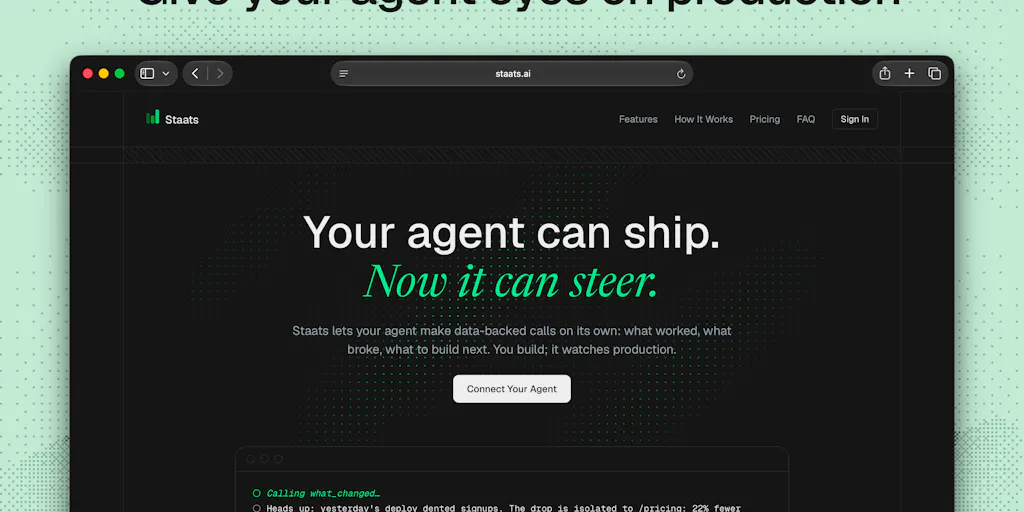
Why This Matters More Than Another Analytics Dashboard
Every cross-border seller I know has the same dirty secret: we ship, we hope, we check the numbers three days later, and then we guess. The data is there — in Amazon Seller Central, in Shopify’s admin, in Google Search Console — but it’s scattered across a dozen logins, and the moment you have to export, pivot, and reconcile it against when you actually shipped something, the whole exercise collapses into a Monday morning ritual you dread. The bottleneck in e-commerce was never building the next listing, ad set, or landing page. It’s the feedback loop between shipping and learning. A new tool called Staats is attacking that exact loop, and while it’s aimed at coding agents, the underlying idea is something every DTC operator and Amazon brand owner should be paying attention to — because it’s the first time I’ve seen analytics repositioned as something your agent reads, not something you read.
The Problem: Your Agent Ships Faster Than You Can Learn
The maker of Staats put it better than any enterprise software pitch I’ve heard this year: “Coding agents have made shipping so fast that the bottleneck has moved. It’s not building anymore, it’s knowing what to build next.” That’s the exact same disease that’s been infecting cross-border e-commerce for the last three years. Tools like Shopify and Helium 10 have made listing creation, ad launches, and even product research almost dangerously fast. You can spin up a new variation, adjust a bid, or rewrite a title in minutes. But what happens after? You check the dashboard, if you remember to. You try to recall what you changed last Tuesday. You stare at a line chart that doesn’t tell you why conversions dipped on the 14th. Then you guess again.
Staats collapses that loop into something radically simpler. The pitch is: “You and your agent ship → your agent checks the data → you and your agent ship.” No dashboard reading. No export-to-sheet ritual. No “preset ranges never line up with when I shipped” — which, as one commenter on the Product Hunt page noted, is the exact problem they’ve been solving by hand every week with Search Console data. The tool is a cookieless web script plus an MCP server, so your agent reads live traffic and interaction events directly inside your chat. It’s free for 10,000 events per month, and it works with Claude Code, Cursor, and Codex.
Now, I know what you’re thinking. This is a developer tool. I sell physical goods on Amazon and run a Shopify store. Why should I care? Because the pattern is the product, and the pattern is universal. Staats isn’t selling you another dashboard. It’s selling you a relationship between your shipping actions and your data — one where the agent notices when you’re about to break something that’s working, and nudges you to take another pass at something that isn’t. That’s the exact behavior every e-commerce operator needs, and it’s the exact behavior that no existing tool provides.
What Staats Actually Does Differently
Let me compare it to what you’re probably using right now. If you’re a serious operator, you’ve got Google Analytics or Amplitude bolted onto your storefront, plus the native analytics inside Amazon Seller Central and Shopify. Those tools are all dashboards. They show you what happened, but they never tell you what to do next. You’re the one who has to notice that your bounce rate spiked after you changed the hero image, or that your conversion rate on a specific SKU tanked right after you updated the bullet points. The dashboard doesn’t know you shipped. The dashboard doesn’t know what you changed. It just sits there, accumulating numbers.
Staats solves this by anchoring data analysis to ship marks. When your agent deploys a change, it marks that moment. Then, when it looks at the traffic data, it compares before and after that mark, not before and after an arbitrary calendar date. This is the killer feature, and it’s the one that the commenters on the Product Hunt page immediately latched onto. One user, Lisa, described her weekly ritual: she exports Search Console data to a spreadsheet and manually rebuilds a report on position change against click change, because the preset date ranges never line up with when she actually shipped something. The maker’s response was perfect: “Agents mark when you ship so comparisons are anchored to those marks instead of a calendar date range.”
That’s the core insight. Every e-commerce operator I know has a version of Lisa’s spreadsheet. For me, it’s a Google Sheet where I track my Amazon PPC campaigns against my listing changes, because Amazon’s default reporting windows never align with my launch schedule. For you, it might be a manual export from Klaviyo to see if a flow change moved revenue. The tool doesn’t matter. The ritual does. And Staats is the first product I’ve seen that treats that ritual as the problem to solve, rather than treating the dashboard as the solution.
Why Amazon Sellers Should Care More Than Shopify Ones
Here’s where my bias comes in. If you’re a Shopify seller, you’ve got a decent shot at building this yourself. Shopify’s admin API is clean, and a coding agent can pull order data, traffic data, and conversion metrics with relative ease. You could wire up a custom script tonight. But if you’re an Amazon FBA seller, you’re in a different boat. Amazon’s data is locked in Seller Central, the reporting APIs are clunky, and the TOS around automated data extraction is a gray area. Tools like Jungle Scout and Helium 10 give you dashboards, but they don’t give you an agent that proactively warns you before you change a listing that’s ranking for a high-volume keyword.
The Staats approach — a cookieless script plus an MCP server that lets an agent read live events — is a template for how Amazon analytics should work. You shouldn’t have to log into Seller Central, navigate to Business Reports, and manually compare your conversion rate before and after you changed your main image. Your agent should do that, and it should tell you, “Hey, you’re about to change the title on the listing that drives 40% of your revenue. The data says it’s converting at 12% right now. Are you sure?” That’s the product I want. And Staats, even though it’s built for web traffic, is the first proof that the architecture for that product is viable.
What Cross-Border Sellers Can Steal From This Right Now
You don’t need to wait for a Staats-for-Amazon to exist. The core principles are portable, and you can implement them with tools you already have.
First, anchor your analysis to ship events, not calendar dates. This week, before you make any change to a listing, an ad campaign, or a landing page, write down the exact date and time. Better yet, create a shared document — a simple Google Doc works — where you log every significant change. Then, when you review your data, compare the seven days before that mark against the seven days after. Don’t compare this month to last month. That’s how you end up thinking a seasonal dip is a product problem.
Second, make your agent do the Monday morning export. If you’re using a coding agent like Claude Code or Cursor, you can already set up a weekly task to pull your Search Console data, or your Shopify order data, and summarize it for you. The commenter Lisa was told she could have her agent pull Search Console data and add it to her sheet each Monday, and she’s right. The setup is a little technical, but it’s a one-time cost that eliminates a weekly ritual forever.
Third, treat your data as a conversation, not a report. The most interesting part of Staats isn’t the script — it’s the MCP server that lets the agent ask questions about the data. Instead of building a dashboard that shows you everything, you should be building a system where you ask, “What happened after I changed the price on SKU-447?” and get a direct answer. This is the shift from monitoring to questioning, and it’s the future of e-commerce analytics.
Where the Math Breaks
Now let me be the skeptic in the room. Staats is free for 10,000 events per month, which is fine for a small site, but it’s a rounding error for any serious e-commerce operation. A single Shopify store can easily generate 100,000 pageviews a month. An Amazon listing with decent traffic will generate way more than 10,000 interaction events in a day. So the free tier is really a trial, not a plan. The pricing beyond that is not disclosed on the Product Hunt page, which makes me nervous. If the paid tier is per-event, this could get expensive fast for high-traffic stores.
There’s also the question of what events the script tracks. It’s cookieless, which means it’s not tracking individual users across sessions. That’s great for privacy compliance — GDPR and CCPA are real concerns for cross-border sellers — but it limits the depth of analysis. You can see that traffic spiked, but you can’t see that the same user who visited your product page three times finally converted. For a cross-border seller, that user-level data is often the difference between a profitable ad campaign and a money pit.
And finally, there’s the agent dependency. Staats works with Claude Code, Cursor, and Codex — all of which are developer tools. If you’re not already using a coding agent, the setup barrier is real. You need to install the script, configure the MCP server, and then trust your agent to read the data and make judgments. That’s a big ask for a seller who just wants to move units, not debug a server.
The Bigger Shift: Your Agent Should Be Your Analyst
The reason I’m writing about a developer tool on a cross-border e-commerce blog is that Staats represents a fundamental shift in how we should think about analytics. The dashboard era is over. Nobody wants to log in, click through tabs, and interpret a line chart. We want to ask questions and get answers. We want our tools to know when we shipped and to volunteer insights before we ask. That’s what Staats does for web traffic, and it’s what every e-commerce analytics tool should do for storefronts.
The comment thread on the Product Hunt page is telling. The maker’s question to the community was, “If your agent could answer one question about your traffic, what would you want it to be?” The answers were all variations on the same theme: “What changed after I shipped?” One user wanted Search Console position changes against click changes over custom date ranges. Another wanted to know which campaigns worked. These aren’t exotic requests. They’re the basic questions every seller asks, and every existing tool fails to answer directly.
Staats is a small product, launched two days ago, with one maker and a handful of commenters. It’s not going to disrupt Segment or Mixpanel anytime soon. But it’s a proof of concept for a better way. And for cross-border sellers, the lesson is clear: start building your own agent-driven analytics loop now, because the tools are almost here, and the competitive advantage goes to whoever adopts them first.
What I’d Watch / Test Next
Here’s my concrete plan for this week, and I’d suggest you steal it.
First, if you run a Shopify store, install a cookieless analytics script — whether it’s Staats or a lightweight alternative — and connect it to a coding agent. Use it to ask one question: “What happened to conversion rate after my last change?” Don’t build a dashboard. Just ask.
Second, if you’re on Amazon, start logging your ship marks manually. Create a shared doc with your team, or a private note, where you record every listing change, ad adjustment, and pricing move with a timestamp. Next week, when you review your PPC data, compare the seven days before and after each mark. You’ll be shocked at how much clearer the picture is.
Third, watch the Staats roadmap. The maker is clearly responsive to feedback — the comment thread shows them engaging with users on specific data gaps. If they add integrations for e-commerce platforms, or if the MCP server pattern gets adopted by tools like Triple Whale or Daasity, that’s the moment this becomes a must-have for operators.
The bottleneck in cross-border e-commerce has never been shipping. It’s been knowing what to ship next. Tools like Staats are the first sign that the industry is finally addressing that bottleneck. Don’t wait for the perfect product. Start building the loop yourself, and you’ll be ready when it arrives.