Why Every Cross-Border Seller Should Pay Attention to the Dictation Arms Race
If you’ve ever found yourself staring at a blinking cursor while trying to crank out a product listing for a new SKU, or dictating a customer-service reply via voice-to-text on your phone only to have it butcher the word “polypropylene,” you already know the pain. Typing is slow. For a cross-border operator juggling Amazon A+ Content, Shopify meta descriptions, TikTok Shop captions, and supplier emails in two or three languages, the friction of keying in text is a real bottleneck. The industry has been stuck between built-in dictation (good enough for quick notes, terrible for structured copy) and expensive transcription services. Enter Wispr Flow, a new contender that promises dictation “4x faster” with a global hotkey. But the real story isn’t just about speed—it’s about where the processing lives, how it handles chaos, and whether a local‑first approach can finally make voice‑to‑text a daily driver for e‑commerce ops. The comments on the launch thread, especially a deep dive into the maker’s own Speech‑to‑Markdown (STMD) project, give us a roadmap of exactly what sellers should test—and what to skip.
What Problem Does This Actually Solve?
At its core, Wispr Flow attacks the friction of getting ideas out of your head and into a text field. The tagline “Stop typing. Start speaking. 4x faster.” is generic, but the promise of a global hotkey—press a button and dictate into any text field on your Mac—is surprisingly novel. Most dictation tools are locked inside their own app or require you to click into a microphone icon. A global hotkey, as the STMD maker Igor Steblii describes, lets you “focus on any text field, press a hotkey, and start talking.” That’s the difference between a dictation tool you open twice a month and one you use ten times a day.
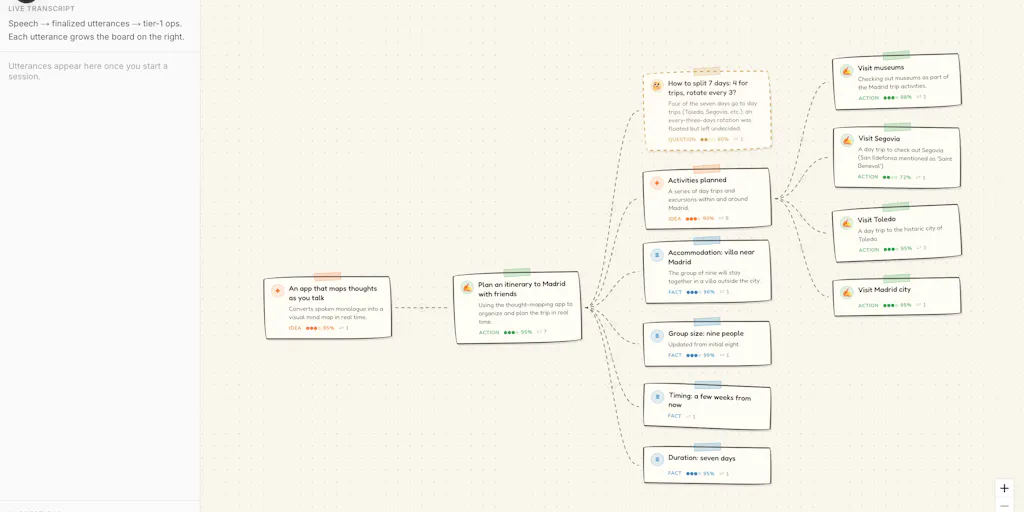
For a seller, the use cases are obvious: writing SEO‑optimized product titles, drafting email sequences in Klaviyo, filling in Amazon’s backend keywords, or even taking verbal notes during a supplier call and having them appear as structured markdown. The STMD project takes it a step further by running speech through local Whisper (STT) and then processing it through a local LLM to fix grammar and typos, and even infer markdown structure. That means your product specs—bullet points, headings, lists—can go from spoken ramble to formatted copy without you touching the keyboard. The privacy angle is huge: “fully local is the right default for notes‑to‑self,” one commenter noted, and for competitive product research or confidential supplier discussions, you don’t want that audio hitting a cloud server.
How It Differs from the Incumbents
Most sellers who have tried dictation inevitably bump into Superwhisper or MacWhisper, both of which use OpenAI’s Whisper model locally. Wispr Flow’s differentiation, at least based on the conversation in the launch, is less about raw accuracy and more about the workflow integration and structure inference. The STMD sibling project demonstrates this: it doesn’t just transcribe; it organizes. You can say “heading: sizing guide, then bullet: small fits 4–6, bullet: medium fits 8–10” and the LLM outputs proper markdown. For a seller crafting detailed size charts or ingredient lists, that’s a massive time saver.
But here’s where the comparison gets real. Commenter Shahriyar Ishmam asked bluntly, “why would i switch from wispr flow, superwhisper, or macwhisper?” The value prop needs to be clearer. As of now, the strength I see is the global hotkey for any text field combined with local LLM‑powered structure. Superwhisper also offers a global hotkey, but its markdown support is basic. MacWhisper is app‑specific. Wispr Flow (and STMD) aim to be ubiquitous. However, the maker of STMD admitted that the iOS version didn’t click “because most of my ideas come while I’m already sitting at my laptop.” That’s a sign that the mobile‑to‑desktop flow still has cracks.
Why Amazon Sellers Should Care More Than Shopify Ones
Shopify sellers can get away with clunky descriptions because they control the customer experience end‑to‑end. Amazon sellers live and die by listing optimization. Every percentage point of conversion improvement comes from clearer, faster copy. Dictation that works in Amazon Seller Central’s flat text fields—where you can’t use rich markup—is a goldmine. A global hotkey that works in the “Product Description” box means you can iterate on bullet points three times faster. And because Amazon’s algorithm punishes keyword stuffing, having a local LLM that can rephrase your spoken notes into natural‑language copy is a direct competitive advantage.
Where the Judgment Calls Fall Short
Despite the promise, the comments reveal several cracks that any operator should pressure-test before adopting Wispr Flow or any local dictation tool.
Messy speech handling. Brandon TK Beesman raised the right question: “the real test for a dictation tool is messy speech, false starts, self corrections, ‘wait, scratch that,’ switching languages mid sentence, background noise.” If you’re dictating a customer complaint email while your fulfillment partner is talking in the background, the tool needs to understand corrections. STMD’s local LLM may treat a “wait, scratch that” as additional content rather than a replacement. That’s a deal‑breaker for serious use.
Structure inference vs. plain transcription. Yuki_Code1 nailed the tension: “Spoken thinking is rambling and non‑linear; markdown is structured.” How much does the tool infer on its own versus waiting for you to say “heading” out loud? Over‑aggressive structure leads to formatting errors that are harder to fix than just retyping. For e‑commerce, where a misplaced bullet point can break HTML formatting in a listing, this risk is real.
Hardware floor. Gal Dayan asked whether the local LLM quality scales with hardware. On an older base‑tier Mac, a small model may butcher technical terms like “polyester” or “polypropylene.” The seller who deals with dozens of material names every day cannot afford a tool that degrades on a MacBook Air. If Wispr Flow bundles a lightweight model, expect accuracy to suffer. If it requires M‑series chips, half your team’s computers might be incompatible.
Language switching. Omri Ben‑Shoham pointed out that many bilingual sellers (English‑Mandarin, English‑Spanish) switch mid‑sentence. Local models often stumble on code‑switching. If you’re a cross‑border seller who dictates half in English and half in your supplier’s language, you need a tool that handles that natively—otherwise you’ll spend more time editing than typing.
Design and identity. As Ishmam noted, the product’s landing page felt “too ai‑generated.” For a tool that claims to boost productivity, a generic look reduces trust. Operators are already skeptical of new SaaS tools; a polished, human‑feeling identity matters.
Where the Math Breaks
The promise of “4x faster” assumes you don’t have to fix errors. In my experience with local Whisper tools, even with a good microphone, you get about 95% accuracy on clear speech. For a 200‑word product description, that’s 10 errors to fix. If each error takes 3 seconds to correct manually, you add 30 seconds—the same time it would have taken to type it yourself. The net gain only appears when the error rate is sub‑2% and the structure is correct. Until a dictation tool achieves near‑perfect transcription plus intelligent formatting for e‑commerce jargon, the ROI is marginal.
What I’d Watch / Test Next
I’m not ready to replace my keyboard, but I will run three tests this week that every seller should replicate:
Test the global hotkey in Seller Central. Download Wispr Flow (or if the STMD project offers its dictation mode) and dictate a full listing—title, bullet points, description. Count the number of edits required. Compare against typing the same content. Do not rely on the “4x faster” claim; run your own timer.
Stress‑test mixed language and corrections. Record a one‑minute audio file in which you switch between English and your second language, and repeat a sentence after saying “scratch that.” Play it back through the tool. If it fails more than two corrections, ditch it for real work.
Try the local markdown pipeline for product specs. Use the STMD web app or GitHub project to see how well a local LLM turns spoken product dimensions into structured bullet points. If it nails the formatting, you have a free workflow that can be bolted onto any text editor.
The dictation arms race is real, and Wispr Flow plus the STMD concept point toward a future where we talk our listings into existence. But the tools are not ready out‑of‑the‑box for the chaos of e‑commerce. Test, measure, and only adopt when the error rate drops below the cost of your time to fix.