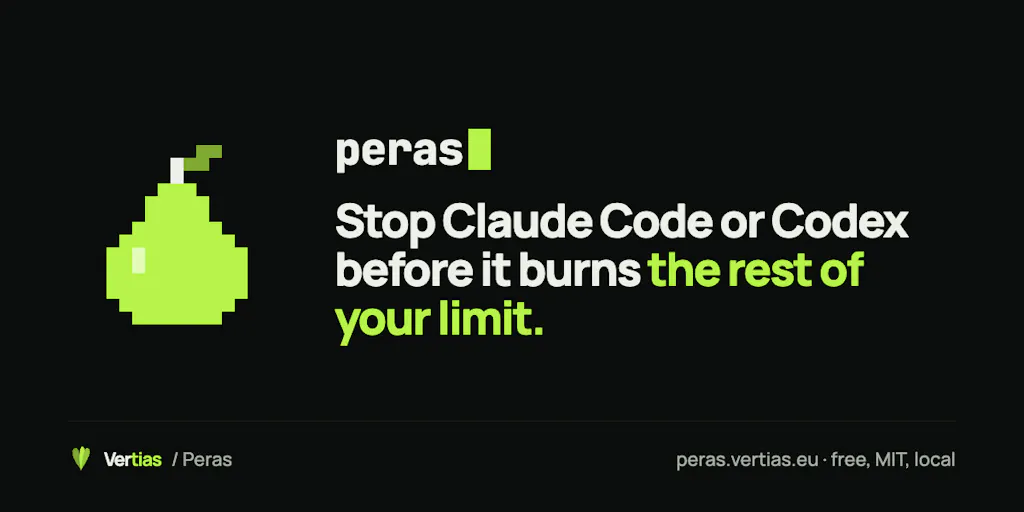
The real cost center in your 2026 stack isn’t ads — it’s the agent burning your Claude Code week on a stubborn test
Cross-border operators have quietly become AI-operations shops. Product research prompts, listing copy, bulk image alt-text, ad-angle generation, supplier email triage, Shopify metafield scripts — much of it now runs through a coding agent on a subscription plan rather than a metered API. That shift has a nasty side effect nobody budgets for: the agent can burn an entire week’s quota on one bad loop, and you find out only when the work stops. Peras, a small macOS utility from indie maker Kristiyan Ivanov, attacks exactly that failure mode — not by reporting spend after the fact, but by refusing the next tool call once you cross a line you set. For anyone running Amazon PPC scripts, bulk listing migrations, or feed transformations through Claude Code or Codex, that distinction between “tell me” and “stop me” is worth an hour of your week.
The problem it actually solves: quota as a hard constraint, not a dashboard
Most AI cost tooling in the e-commerce world is retrospective. You get a dashboard, a Slack alert, a weekly email. By the time the alert fires, the damage is done — the agent has already chewed through the 5-hour window and part of the seven-day cap, and your evening of SKU-catalog cleanup is dead. Ivanov’s framing in the launch thread is blunt about the origin: he “kept running out of Claude Code mid-week and got tired of constantly spamming /usage to guess how much a task would eat.” That’s a very operator-shaped complaint. Polling a usage page is a manual, interrupt-driven habit; it competes with the actual work.
Peras inverts it. You declare a line — say 85% of the weekly window — and when Claude Code or Codex crosses it, the next tool call is refused with a plain-language reason. You can resume at will, for an hour or until reset. The mechanism, per the maker, is a hook that fires before every tool call and checks your configured lines; if one says pause, the call is refused and the turn ends. That’s it. No token estimation, no dollar conversion, no guessing.
Why the refusal-with-a-reason detail matters more than it sounds
A hook that silently blocks an agent is worse than no hook — the agent retries, hallucinates a workaround, or spirals. Ivanov’s design has the agent read the refusal reason, which is why one commenter, Thami Benjelloun of Mailwarm, called it “way cleaner than me checking /usage every hour.” Another commenter, Fan, zeroed in on the same thing: “a spend line that stops the run itself, instead of reporting it after, is the part that stayed with me.” For cross-border teams running long autonomous jobs overnight — think 4,000-SKU title rewrites across a Shopify catalog — a graceful, legible stop is the difference between a partial batch you can resume and a half-mutated product feed you have to roll back.
Where the number comes from — and why that’s the honest part
The sharpest question in the thread came from Bruno Bueno: “where’s the weekly % coming from, does anthropic expose that number somewhere now?” Ivanov’s answer is the detail that makes the product credible: Claude Code passes a rate_limits object to the status line containing five_hour and seven_day, each with used_percentage and resets_at. Peras reads rate_limits.seven_day.used_percentage from that input and stores the latest reading. No Anthropic usage API call, no token-based estimation. That means the number Peras acts on is the same number you’d see in the status line — which is the only defensible design. If it were estimating, every pause would be arguable; because it’s reading the platform’s own figure, the pause is authoritative.
How it differs from the tools you’re probably already paying for
Let me place it against the incumbents an operator would actually compare it to, because the comparison clarifies what category this is and isn’t.
It is not an observability or FinOps platform. If you’re running metered API spend across a production stack and want cost attribution by team, feature, or customer, you want something like Helicone or Langfuse — dashboards, traces, budget alerts, spend breakdowns. Those tools tell you what happened. Peras prevents the next thing from happening. Different job, and honestly different buyer: FinOps tooling is bought by platform teams, Peras is bought by a solo operator or a two-person growth team who just wants their week back.
It is not a general automation or scheduling layer like Zapier or Make. Those orchestrate workflows across SaaS endpoints; Peras sits between a coding agent and its tool calls and does one thing — enforce a threshold. The scope discipline is the point. Ivanov describes it as “one sharp utility,” and that’s exactly the right positioning for a €4.99 Mac app.
It is not a replacement for Amazon Seller Central budget controls or Shopify app spend caps. Those govern marketplace and platform spend; Peras governs agent quota. The mental model that transfers is the same one you already use for ad spend: you don’t check your Amazon Ads console hourly to see if you’ve overspent — you set a daily budget and let the system enforce it. Peras is that, for your coding agent.
Why Amazon sellers should care more than Shopify ones
This is a judgment call, but I’ll defend it. Shopify operators tend to work in shorter, more interactive bursts — theme tweaks, app config, a metafield script here and there — where the agent’s output is reviewed almost immediately. Amazon FBA brand owners, by contrast, run batch jobs: bulk listing generation across a catalog, A+ content drafts at scale, keyword-harvesting scripts that churn through Helium 10 exports, feed transformations before a Seller Central upload. Those jobs are long, autonomous, and expensive in quota terms. They’re also exactly the jobs where one stuck loop — a regex that never matches, a schema that keeps failing validation — eats an entire week’s allowance before anyone notices. If your agent work looks like batch processing rather than pair programming, a hard line is worth more to you than a dashboard.
Where the math breaks
Be clear-eyed about the failure modes, because Ivanov is unusually candid about them and you should be too. It’s macOS only — Linux “might work but isn’t tested,” per the maker, and Linux testing is on his list. It’s built for subscriptions, not metered API keys, so if your stack runs on pay-as-you-go Anthropic or OpenAI API billing, this isn’t your tool. Codex hooks fail open if the hook itself breaks — Ivanov flags this as a Codex limitation, not something Peras can fix yet. And claude -p can’t be stopped. Those are real gaps, and they matter if your workflow depends on headless invocation.
What cross-border sellers can borrow from it
Strip away the specific product and there are three operating patterns here worth stealing for your own stack, regardless of whether you install Peras.
1. Enforce at the boundary, not in a report. Every place your operation can lose money or time — ad spend, agent quota, supplier prepayments, return-fraud exposure — deserves a hard stop at the point of action, not a weekly review. If your current control is “someone checks the dashboard,” you don’t have a control; you have a hope. The Peras design — refuse the next action with a legible reason — is the pattern to copy into your own internal tooling.
2. Use per-scope lines, not one global number. One of the more useful details buried in the thread is that you can set a line per project. In a given repo, peras set --here weekly 80 pause covers that folder and everything under it, replacing the global line there. That maps cleanly onto how a cross-border team actually works: a catalog-migration project might warrant a tighter line than exploratory prompt engineering, because the migration is the job that has a deadline. Ivanov also supports time-windowed lines — peras set 09:00-18:00 weekly 80 pause — though not day-of-week lines yet. His suggested workaround is two profiles, peras profile save weekday and peras profile save weekend, switched on Friday. Crude, but it works today.
3. Cap per prompt, not just per week. This is the sleeper feature. peras set prompt 3 pause means one prompt can’t burn more than 3% of your week, no matter what the agent does inside it; the next prompt starts fresh. For anyone who has watched an agent loop on a single stubborn test — and commenter Anirudh Madhavan describes exactly that: “an agent loop happily through a whole session’s budget on one stubborn test” — a per-prompt ceiling is a more surgical control than a weekly line. It bounds the blast radius of any single bad task without penalizing the good ones. There’s also a pace line that pauses when you’re on track to run out before reset, defaulting to 90% weekly.
The honesty about loop detection is the most operator-mature thing in the thread
Madhavan asked the obvious follow-up: do you detect unproductive loops, like repeated edits to the same file? Ivanov’s answer deserves quoting because it’s the kind of judgment more tool builders should show: “5 edits to the same file is sometimes a loop and sometimes just TDD, so I’d rather cap the spend than guess.” He also notes Peras never reads your prompts or commands — it only watches how fast usage goes up. That’s a privacy-respecting design and an epistemically humble one. He’s admitting the tool can’t know intent, so it bounds cost instead. For operators, the lesson is direct: don’t build automation that guesses at intent when you can build automation that caps downside. The second is cheaper, more reliable, and doesn’t surprise you.
Where my judgment says it falls short
Three things would give me pause before recommending it broadly.
The platform gap is real. A macOS-only tool with untested Linux support excludes a meaningful share of cross-border ops teams who run on cloud VMs or Linux workstations. If your engineering sits on a Linux box and your growth team is on Macs, you’ve got a split-brain problem. Ivanov has Linux testing on his list, but “on my list” is not “shipped.”
The €4.99 one-time price is charming and also a signal. Ivanov frames it as “basically paying me to sign and ship it,” and the CLI and hooks are free and MIT with the repo buildable yourself. That’s great for adoption and terrible for support economics. A one-time €4.99 app from a solo maker is a bet on the maker’s continued attention, not a vendor relationship. If your operation comes to depend on it, you should be comfortable with the possibility that it doesn’t get maintained, or that you’re building from the repo yourself. For a tool this small that’s probably fine; for a tool this small that becomes load-bearing, plan accordingly.
The scope is deliberately narrow, and that’s both the strength and the ceiling. No loop detection, no cross-machine sync, no team-level policy management, no Windows. If you’re a five-person ops team wanting one policy across everyone’s machines, Peras isn’t there yet — and given the price point, may never be. You’d be looking at stitching it together with your own config management, or waiting for a more enterprise-shaped competitor.
The comparison I’d actually make
If you’re deciding where to spend your tooling attention this quarter, the honest framing is this: Peras is to agent quota what a daily budget cap is to Amazon Ads — a blunt, reliable guardrail that prevents the catastrophic outcome, not a sophisticated optimizer. If your pain is “I don’t know where my AI spend goes,” buy observability. If your pain is “my agent ate my week and I didn’t notice until it stopped,” buy a guard. They’re not substitutes, and the operator who understands the difference will get more out of both.
What I’d watch / test next
Concrete moves for this week, in order of effort-to-payoff.
First, measure your actual burn pattern before you buy anything. For the next five working days, log your Claude Code or Codex weekly usage percentage at start and end of each session. If you’re routinely crossing 70% by Wednesday, you have a quota-management problem and a guard is justified. If you’re finishing weeks at 40%, you don’t — spend the hour elsewhere.
Second, if you do have the problem, install the free CLI and hooks first. The CLI and hooks are free and MIT, and you can build the Mac app from the repo. Set a global line at 85% and a per-prompt line at 3% — peras set prompt 3 pause — and run it for a week on a low-stakes project before trusting it on a catalog migration.
Third, test the failure modes on purpose. Run a job you know will loop and confirm the refusal is legible and the resume works. Test claude -p to see exactly how it behaves given the maker’s caveat that it can’t be stopped. Test what happens when the Codex hook fails open — know your exposure before it bites you mid-batch.
Fourth, watch the thread and the repo for Linux support and day-of-week lines. Both are flagged as wanted; neither is shipped. If your team is Linux-heavy, that’s your gating item.
Fifth, steal the pattern even if you don’t install it. Whatever your agent workflow runs on, put a hard stop at the boundary — a refusal with a reason — rather than a report you have to remember to read. That single design choice is the transferable lesson from this launch, and it costs you nothing to adopt.