The Quiet Rebellion of Local-First Software, and What It Teaches Cross-Border Sellers About Owning Their Stack
Every serious cross-border operator I know has a dirty secret: their entire business runs on software they don’t actually own. Your Amazon listings live inside Seller Central’s labyrinth. Your email flows live inside Klaviyo’s visual builder. Your ad spend lives inside Meta’s black box. And your mouse — that humble Logitech MX Master that you’ve been clicking through twelve hours a day — lives inside Logitech’s Options+ app, a piece of software that demands an account, runs a background service, and phones home with telemetry, all so you can remap a thumb button. That’s the deal we’ve all signed: convenience in exchange for control. But what happens when the convenience stops being convenient? What happens when the tool you depend on starts making decisions for you, or worse, starts treating your config as their data? This is the question at the heart of OpenLogi, an open-source Rust alternative to Logitech’s official Options+ software, and it’s a question every cross-border seller should be asking about their own tooling stack.
I’m not saying you should ditch Seller Central tomorrow and hand-roll your own ERP. But OpenLogi’s philosophy — local-first, no account, no telemetry, config as a plain file you own — is a mirror held up to the entire SaaS ecosystem we’ve built our businesses on. And for sellers who’ve been burned by platform policy changes, surprise fee hikes, or the quiet deprecation of a feature they built their entire workflow around, the lesson is more than philosophical. It’s operational. It’s about understanding what you actually control in your stack, where the single points of failure are, and how to build a business that survives the next time a platform decides to “simplify” its pricing structure.
The Problem OpenLogi Actually Solves: Software That Treats You Like a Tenant, Not an Owner
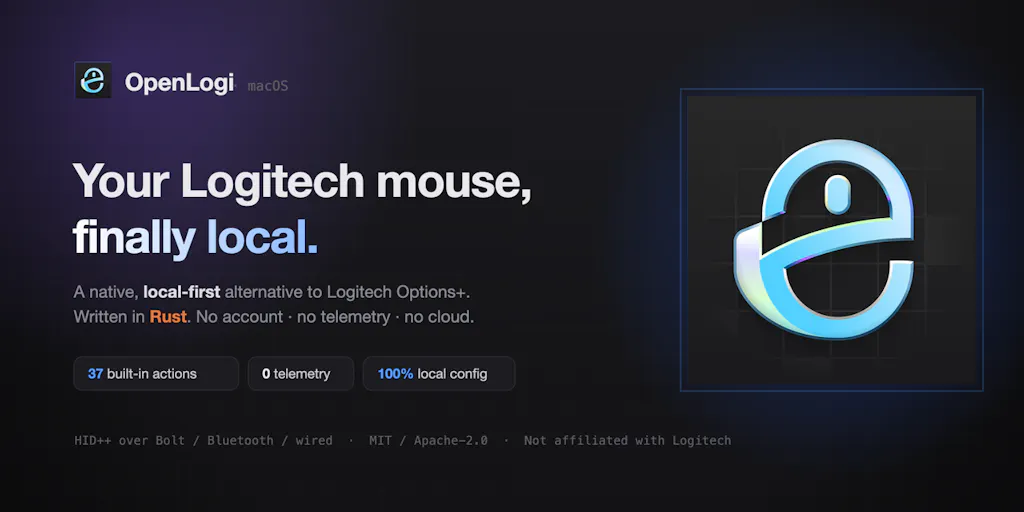
Let’s get the product specifics out of the way, because the details matter. OpenLogi is a native Rust application that talks directly to Logitech hardware over HID++ and UVC protocols. That’s a technical way of saying it bypasses the official Options+ app entirely and speaks the hardware’s native language. The maker, Xuan Zhang, built it out of a very specific frustration: they bought an MX Master because the hardware is genuinely great, then installed Options+ and got hit with “an account prompt, a background service, telemetry, several hundred MB — all so I could change what the thumb button does.” That’s the inciting incident, and it’s one every seller can relate to. You buy a tool to solve a problem, and the tool itself becomes a second problem you have to manage.
What OpenLogi offers instead is a clean, native app that runs on macOS, Windows, and Linux, with support for Bolt, Unifying, Lightspeed, Bluetooth, and USB connections. It gives you 44 built-in actions for remapping buttons, DPI presets, SmartShift toggling, and battery status for every paired device. The setup is straightforward: most things can be changed from the GUI, but the underlying config is just a plain config.toml file you can inspect, edit, or copy between machines. No account. No telemetry. The update check is off by default. That’s the whole pitch, and it’s refreshingly modest.
Now, compare that to the incumbent. Logitech’s Options+ is a feature-rich app, but it’s also a classic example of what happens when a hardware company tries to become a software company. It wants your account, it wants your usage data, and it wants to be the only app touching your receiver. OpenLogi’s maker even includes a heads-up: quit Options+ before launching OpenLogi, because both apps need direct access to the same HID++ receiver and running them together would naturally conflict. That’s not a bug; it’s a statement. The official app treats the receiver as its private property, and OpenLogi does the same, but for a completely different reason — because it doesn’t want to share, not because it wants to monopolize.
For a cross-border seller, the analogous situation is your relationship with your e-commerce platform. Shopify doesn’t let you run two competing storefronts on the same domain. Amazon doesn’t let you export your review history. These aren’t technical limitations; they’re business decisions designed to keep you inside the ecosystem. OpenLogi’s approach — a plain config file you own — is the software equivalent of having your product data in a CSV you can export and take anywhere. It’s not glamorous, but it’s freedom.
How OpenLogi Differs: The Local-First, No-Account Model as a Business Philosophy
The most striking thing about OpenLogi isn’t the feature list; it’s the absence of features we’ve been trained to expect. There’s no cloud sync. There’s no account creation. There’s no onboarding wizard that asks for your email so it can send you a newsletter. There’s no “phoning home” to check for updates unless you explicitly turn it on. In 2025, that’s not just a different design choice; it’s a political statement. Every SaaS product you use is, at its core, a data collection engine with a user interface bolted on. OpenLogi flips that model on its head, as one commenter noted: “most peripheral software treats a mouse config as an excuse to phone home, so building it in Rust as open source flips that whole model on its head.”
Let’s be clear about what this means in practice. The official Options+ app is free, but you pay for it with your attention, your data, and your dependency. OpenLogi is free in a different way — it’s open source, so you can audit the code, and it’s local-first, so your config lives on your machine. The trade-off is that you lose some convenience. There’s no per-app profiles yet (it’s in progress), no Options+ importer, and no Logitech Flow support. The maker is honest about this: “If those are dealbreakers, it’s not a full replacement yet — the roadmap is public.” That’s a refreshing level of candor for a product launch, and it’s a lesson in itself. OpenLogi isn’t trying to be everything; it’s trying to be the thing that matters most — a tool that respects its user.
Now, how does this compare to the alternatives in the peripheral software space? The obvious comparison is Solaar, a long-standing open-source tool for managing Logitech devices on Linux. Solaar has been the go-to for Linux users for years, and OpenLogi’s cross-platform support (including macOS and Windows) is a meaningful differentiator. Another comparison is SteerMouse for macOS, which offers deep customization for any mouse but lacks OpenLogi’s native Logitech protocol support. And then there’s the commercial route: paying for a tool like BetterTouchTool to get advanced input customization, which works but feels like using a sledgehammer to crack a nut. OpenLogi’s positioning is unique because it’s purpose-built for Logitech hardware, cross-platform, and philosophically committed to the local-first model. It’s not trying to be a general-purpose input remapper; it’s trying to be the best possible way to configure a Logitech mouse without selling your soul.
What Cross-Border Sellers Can Borrow: The Config-as-Code Mindset
Here’s where I want to bring this back to your business, because I know you’re not here to read a review of a mouse utility. You’re here because you’re running a cross-border operation, and you’re constantly juggling platforms, tools, and vendors. The lesson from OpenLogi isn’t about mice; it’s about the principle of config as code — the idea that your settings, your workflows, and your business logic should live in files you own, not in databases controlled by a third party.
Think about your current tooling stack. If you’re running a Shopify store, your theme settings live in Shopify’s cloud. If you’re running Amazon FBA, your listing data lives in Seller Central. If you’re using Helium 10 for keyword research, your saved searches live in their system. Now ask yourself: if any of these platforms disappeared tomorrow, or changed their pricing to something you can’t afford, how much of your work would you lose? For most sellers, the answer is “a lot.” OpenLogi’s approach — a plain config.toml file you can inspect, edit, diff, and copy between machines — is the template for how you should be managing your own business data.
Concretely, here’s what I mean. Start treating your product listings as code. Maintain a master spreadsheet or a version-controlled folder of your listing copy, your keyword research, your pricing history. When you use a tool like Helium 10 or Jungle Scout, export your data regularly and store it locally. When you set up email flows in Klaviyo, keep a document that describes what each flow does, so you can rebuild it from scratch if you ever need to switch platforms. This is the cross-border equivalent of the config.toml file — a source of truth that lives outside any single vendor’s ecosystem.
The second thing to borrow is the no-account, no-telemetry philosophy. I’m not saying you should refuse to create accounts for the tools you need — that’s impractical. But you should be deliberate about which tools get your data and which don’t. When you evaluate a new SaaS product for your operation, ask the same question OpenLogi’s maker asked about Options+: what is this tool actually doing with my data, and is the convenience worth the cost? If a tool requires an account but doesn’t offer a clear value proposition for that account (like cross-device sync or team collaboration), be suspicious. If a tool collects telemetry but doesn’t offer a privacy policy that clearly states what it does with that data, be even more suspicious.
Where the Math Breaks: OpenLogi’s Gaps and What They Teach Us About Product-Market Fit
I want to be honest with you: OpenLogi is not a complete replacement for Options+ yet. The maker admits it — no per-app profiles, no Options+ importer, no Flow support. For a power user who relies on per-application button mappings (say, a different setup for Photoshop vs. Excel vs. your browser), that’s a genuine dealbreaker. And for a cross-border seller who uses Flow to move files between a Mac and a PC during a live stream or a video call, the lack of Flow support is a real productivity hit. These aren’t minor features; they’re the kinds of things that make a tool indispensable.
This is where the product-market fit math gets interesting. OpenLogi is targeting a very specific user: someone who values control and privacy over convenience and features. That’s a small but passionate niche. The question is whether that niche is big enough to sustain ongoing development. The maker says the roadmap is public, which is a good sign, but open-source projects have a way of stalling when the maintainer gets busy or loses interest. For a cross-border seller evaluating tools, this is a cautionary tale: don’t build your workflow around a tool that might not be maintained in six months. The same logic applies to your choice of Amazon Seller Central vs. Shopify vs. TikTok Shop — you need to assess not just what the platform offers today, but whether it’s likely to be around and stable in the long term.
Why Amazon Sellers Should Care More Than Shopify Ones
Here’s a sidebar thought that might ruffle some feathers: Amazon sellers should pay more attention to OpenLogi’s philosophy than Shopify sellers. Why? Because Amazon is the most locked-down ecosystem in cross-border e-commerce. Your Seller Central account, your Buy Box eligibility, your review history, your FBA inventory — all of it lives inside Amazon’s walled garden. You can’t export your seller feedback. You can’t take your Buy Box with you if you switch to another platform. And Amazon’s terms of service are notoriously one-sided, with the ability to suspend your account for reasons that aren’t always transparent.
Shopify, by contrast, is built on a more open model. You own your storefront, you can export your orders and customers, and you can take your theme and your products to another platform relatively easily. Shopify’s API is a genuine attempt to let merchants own their data, even if the platform still takes a cut of your revenue. So when I see a tool like OpenLogi that embodies the local-first, no-account philosophy, I think: Amazon sellers need this mindset more than anyone. They need to be building their own “config.toml” — their own local record of their business — because they’re operating in the most precarious environment in e-commerce.
The practical takeaway: if you’re an Amazon seller, start treating your Seller Central account as if it could be suspended tomorrow. Maintain your own records of your listings, your inventory levels, your customer communications. Build your own dashboards with tools like SellerLabs or Feedvisor that let you export your data. Don’t rely on Amazon’s built-in reports as your only source of truth. That’s the OpenLogi lesson applied to the most important relationship in your business.
What I’d Watch / Test Next
If OpenLogi’s philosophy resonates with you, here’s what I’d do this week, in concrete terms:
First, download OpenLogi from its official site and test it on your own Logitech hardware. See if you can live without Options+ for a week. Pay attention to what you miss — that’ll tell you which features actually matter to you and which ones you were using out of habit. If per-app profiles are a dealbreaker, watch the roadmap and check back in a few months.
Second, audit your own tooling stack with the OpenLogi lens. Go through every SaaS tool you use — your email marketing platform, your analytics, your inventory management system — and ask: where does my data live? Can I export it? Do I have a local backup? If the answer is no, that’s a risk you need to address. Start by exporting your most critical data from at least one platform this week and storing it somewhere you control.
Third, apply the config-as-code principle to one aspect of your business. Pick your product listings, your ad campaigns, or your email flows, and create a version-controlled document that describes how they’re set up, what the key metrics are, and what you’d do if you had to rebuild from scratch. This is the same discipline that makes OpenLogi’s config.toml so powerful — it’s a source of truth that survives platform changes.
Fourth, and this is the contrarian one: consider whether you’re over-reliant on any single tool or platform. OpenLogi’s maker built a whole app because they were frustrated with one piece of software. You don’t need to build your own ERP, but you should be willing to vote with your feet when a tool stops respecting you. The best hedge against platform risk is a willingness to switch.
OpenLogi isn’t going to change the cross-border e-commerce landscape. But it’s a reminder that the tools we use every day are choices, not destiny. The next time a platform updates its terms of service or a tool adds a “mandatory” telemetry feature, remember the mouse. You can either accept it, or you can build something better. Most of us won’t build a Rust app in our spare time. But we can all build a little more ownership into how we run our businesses.