The permission prompt is the new operational bottleneck
Every cross-border operator I know is quietly running more automation than their org chart admits. A Claude Code session rewriting a Shopify feed mapper in one terminal, a Codex CLI refactoring a returns-classification script in another, a third agent scraping supplier PDFs into a structured catalog. The work is real, it ships, and it has introduced a failure mode that no fulfillment dashboard or ad platform was designed to surface: an agent sitting idle, blocked on a permission prompt, waiting for a human who is on a call with a 3PL in Shenzhen. OpenCompanion is the first Product Hunt launch I’ve seen that treats that idle state as the product, not an edge case. That framing matters more to sellers than to pure software teams, because our automation runs unattended by design — overnight, across time zones, while the operator sleeps. If the approval layer is broken, the whole throughput model is broken.
What OpenCompanion actually solves, and why the framing is sharper than it looks
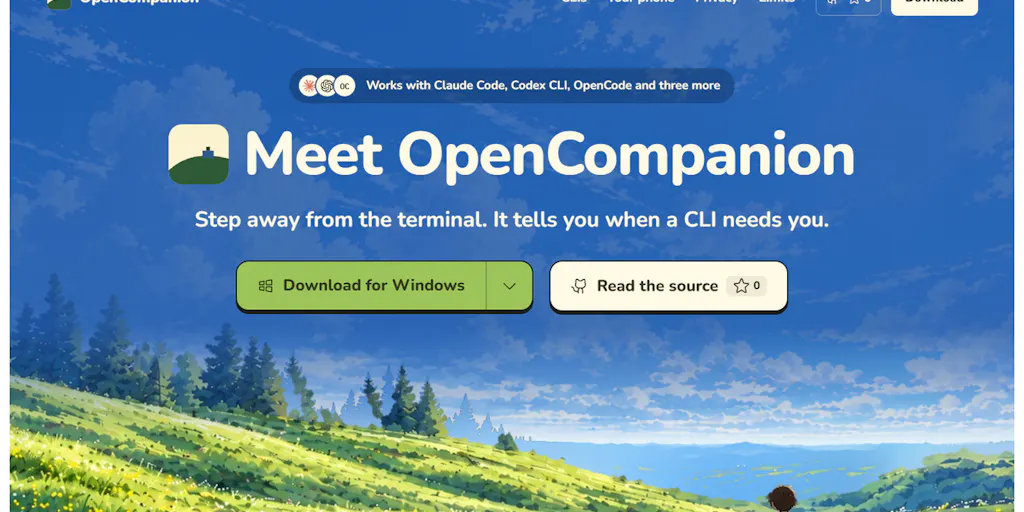
The maker, Yusup Supriyadi, describes OpenCompanion as a tool for people who “run AI coding CLIs in more than one project folder at a time.” That’s the honest version of the pitch, and it’s narrower than most launches on the front page. The core mechanic: it starts Claude Code, Codex CLI, OpenCode and a few other CLIs either in a real terminal or headless, then lists every session on one screen with its status and latest event. When a session is waiting on you, you know — and Claude Code permission prompts get Approve and Deny buttons, on desktop and on your phone over your own Wi-Fi.
Read that last clause again, because it’s the whole ballgame for anyone running an Amazon FBA brand. The dominant cost of agentic automation isn’t token spend. It’s the dead time between “the agent needs a decision” and “a human with authority makes it.” For a US-based seller running supplier negotiations through an agent at 2am Pacific while their sourcing lead is in Guangzhou, that gap is eight hours of stalled work. OpenCompanion collapses it to a push notification and two taps.
The secondary features are where it gets interesting for operators rather than developers. Chat turns a plain request into one card per session — you read each prompt, then press Run. Ask for work that repeats and you get an automation that starts on a schedule. Beside each session you can split a shell to run tests, browse the folder, and read the uncommitted diff. And critically: it all runs on your computer. No account, no cloud server, no telemetry. Each CLI keeps using your own login and quota.
Why Amazon sellers should care more than Shopify ones
A Shopify operator running a DTC brand has a relatively forgiving automation surface. A broken theme deploy costs you a few hours of conversion. An Amazon seller running Seller Central workflows — listing generation, A+ content iteration, negative-review triage, IPI-driven inventory rebalancing — has a much tighter blast radius. A malformed bulk upload can suppress listings. A bad repricing script can trigger a race to the bottom against your own catalog. That asymmetry is exactly why the “no cloud server, no telemetry, your own login and quota” design is the right call here. Your agent sessions touch proprietary margin data, supplier terms, and ad spend. Routing that through a third-party SaaS relay would be a non-starter for most serious brand owners. Local-first isn’t a philosophy for this audience — it’s a procurement requirement.
How it stacks up against the incumbents you’re probably already paying for
Let’s be honest about the competitive set, because “agent orchestration” is a crowded shelf right now and most of it is aimed at engineering orgs, not operators.
The closest comparison is Claude Code itself, which now ships its own permission model and can run in headless mode. If you’re single-project and single-machine, Claude Code’s native flow is fine and you don’t need OpenCompanion. The moment you’re juggling three project folders — say, a catalog pipeline, a customer-service agent, and a creative-generation harness — the native single-terminal experience falls apart. You end up alt-tabbing between windows, and the permission prompt you missed is the one that mattered.
Then there’s the observability layer: tools like LangSmith and Langfuse do excellent work tracing and evaluating agent runs, but they’re built for teams instrumenting their own code, not for an operator babysitting someone else’s CLI. They’ll tell you what happened after the fact. They won’t hand you an Approve button on your phone.
On the automation-scheduling side, Zapier and Make own the “trigger an action on a schedule” niche, and plenty of sellers I know run their reorder alerts and review-monitoring flows through them. But Zapier orchestrates APIs, not interactive agent sessions with human-in-the-loop gates. There’s no equivalent of “the agent wrote a prompt, you read it, you press Run.”
And for the phone-approval pattern specifically, the reference point is Tailscale plus a self-hosted dashboard, which a certain kind of operator already runs. OpenCompanion is essentially productizing that pattern for people who don’t want to build it.
Where the math breaks
Here’s the honest tradeoff. OpenCompanion is MIT licensed, installers are on opencompanion.vercel.app and GitHub Releases, or you can build from source — but the installers are not code-signed yet, so the first start asks you once to allow it. For a solo operator on their own laptop, that’s a shrug. For a brand running this on a shared workstation inside a warehouse office, that’s a security review you’ll have to win.
The platform maturity is also uneven, and the maker says so plainly: Windows gets tested by hand every day, Linux end to end in Docker, and macOS so far only builds and passes its tests in CI. If your ops team is Mac-based — and most DTC brands I know are — you’re the least-tested platform. That’s not a dealbreaker, but it’s a “test on a non-critical project first” flag.
The phone link deserves its own paragraph. It’s plain HTTP on your local network, and the maker recommends using a VPN such as Tailscale when you’re away from home. A commenter on the launch, Dale Mooney, asked the exact right question: is there a pairing token, or can anything else on the same Wi-Fi press Approve? On a shared office network, that’s the part that decides whether this is deployable. The maker hasn’t answered that thread yet in the source material. Until there’s a clear answer, I’d treat the phone approval feature as a home-office tool, not a warehouse-floor tool.
What cross-border sellers should actually borrow from this
Strip away the specific product and there are three patterns here worth stealing regardless of whether you ever install OpenCompanion.
First, treat human-in-the-loop as a first-class metric. Most sellers measure automation by tasks completed. The better metric is tasks blocked. If you’re running any agentic workflow — through n8n, a custom script, or a Shopify app — instrument the wait time between “agent needs input” and “human responds.” I’d bet the number is uglier than anyone expects, and it’s the single biggest lever on throughput.
Second, push approvals to where the human already is. The reason OpenCompanion’s phone approval matters isn’t the technology — it’s that it meets the operator on the device they check 200 times a day. If your returns-exception queue only surfaces inside a dashboard nobody opens on mobile, you’ve built a bottleneck disguised as a workflow.
Third, keep agent sessions local when they touch margin data. The “no account, no cloud server, no telemetry” posture is the right default for anything involving supplier pricing, ad spend, or customer PII. Cloud orchestration is convenient until it isn’t, and cross-border sellers operate under a patchwork of GDPR and state-level privacy regimes that make “where does the session data live” a legal question, not just an architectural one.
A sidebar on the TikTok Shop and Temu angle
The sellers who’ll feel this most acutely aren’t the Amazon veterans — they’re the TikTok Shop and Temu operators running high-velocity, low-margin catalogs. When you’re listing 400 SKUs a week and your margin per unit is measured in cents, every hour of agent idle time is a direct hit to contribution margin. These operators are already the most aggressive adopters of AI tooling I’ve seen, and they’re the ones who’ll build a homegrown version of this pattern within a month if a product doesn’t exist. OpenCompanion’s scheduling feature — “ask for work that repeats and you get an automation that starts on a schedule” — is exactly the primitive they need for overnight catalog refreshes.
Where my judgment says it falls short
Three things I’d want before recommending this to a client running real volume.
The macOS testing gap is the first. “Builds and passes its tests in CI” is not the same as “an operator ran it for a week without a crash,” and the maker is commendably upfront about the difference. If your team is on Macs, budget time for friction.
The unsigned installers are the second. MIT license and local-first design are the right posture, but unsigned binaries are a genuine obstacle in any org with an IT policy. This is fixable — code signing costs a few hundred dollars a year — and I’d expect it to be the first thing addressed post-launch.
The third is the unanswered security question on the phone link. Plain HTTP on a local network with no disclosed pairing token is a real risk on any shared Wi-Fi. The maker’s own recommendation to use Tailscale is sound, but “install a VPN” is a meaningful ask for a non-technical operator. Until there’s a clear answer on whether anything else on the network can press Approve, I’d keep this off any network you don’t fully control.
None of these are fatal. They’re the normal shape of a v1 from a solo maker, and the transparency about them is a good sign rather than a bad one.
What I’d watch / test next
This week, if you’re curious, do three things. Install OpenCompanion on a machine you control — not a shared one — and run it against a single low-stakes project folder. Pick something where a bad approval costs you nothing: a content-drafting agent, a competitor-price scraper, a supplier-email summarizer. Watch how often it actually blocks on a prompt. I suspect the number will surprise you, and that number is the real business case.
Second, measure your current agent idle time before you change anything. Log every permission prompt across your existing CLI sessions for one week and total the wait. That baseline is what you’re buying against.
Third, and separately from this product: if you’re running any agentic workflow that touches money or listings, write down who can approve what, from which device, on which network. The fact that a Product Hunt launch forced that question into the open is, honestly, the most useful thing about it.