The Notch as a Fulfillment Center: What a Solo Dev’s Mac App Taught Me About Attention, Tooling, and the Gaps We Still Ship Around
Cross-border sellers spend their days inside dashboards that were never designed for them: Seller Central tabs stacked twelve deep, a Shopify admin open next to a TikTok Shop livestream, a Temu supplier chat, a Klaviyo flow audit, and a carrier tracking page that lies. Every one of those surfaces competes for the same scarce resource — the operator’s attention. So when a solo developer ships a tiny macOS utility that tries to make the most useless piece of modern hardware (the notch) into a control surface, I pay attention. Not because I need a furry monster on my MacBook, but because NotchMate is a clean case study in a pattern cross-border operators should be studying: the micro-utility that quietly absorbs five small workflows and turns them into one. That pattern is coming for your seller stack too.
What NotchMate Actually Solves (and Why It’s Not Really About the Notch)
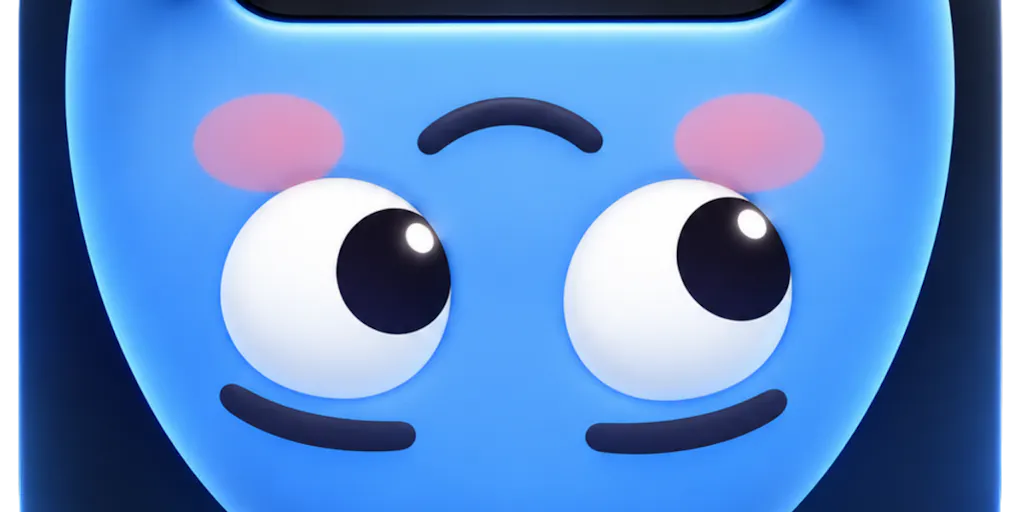
Bora Can BALTACI, the maker behind NotchMate, describes himself as a solo developer who spent months of evenings on the app after getting a MacBook and finding that existing notch-widget tools “felt” static. His framing is honest: he found a few apps that turn the notch into a widget bar, and “they’re fine, but none of them felt alive or different.” So he built a small furry monster called Notchy who peeks out, waves on unlock, puts on glasses during a focus timer, and shuts up when you’re busy.
Strip away the mascot and here’s what’s actually inside the panel: Spotify and Apple Music controls with album art and a live spectrum; a “Zen” mode with full-screen synced karaoke-style lyrics or ambient visuals; weather, today’s calendar, and a Pomodoro timer; clipboard history that auto-captures screenshots; a file shelf for drag-and-drop and AirDrop; window snapping into halves, quarters, and thirds; a quick camera mirror check before calls; and an optional “lid fold” gimmick. It runs on macOS 14+, works on Macs without a notch by drawing one, ships in 9 languages, and asks for permissions only when a feature needs them. Pricing is $14.99 lifetime or $3.99/month, with a 14-day refund window.
The interesting thing isn’t any single feature. Every one of those exists as a standalone Mac app you’ve probably already paid for. The interesting thing is the aggregation thesis: five utility categories collapsed into one always-visible surface, priced below what two of those apps cost separately.
Why Amazon sellers should care more than Shopify ones
Shopify operators live in a browser tab and a phone. Their workflows are cloud-native, and a Mac menu-bar utility adds marginal value. Amazon FBA brand owners and marketplace account managers are different animals. Their day is a warren of local artifacts: downloaded inventory reports, supplier PDFs, ad-hoc screenshots of a hijacked listing, CSV exports from Amazon Seller Central that need to be re-uploaded somewhere else. A clipboard history that auto-captures screenshots and a file shelf that holds a supplier quote until you can drag it into a Slack thread is genuinely useful in that environment. If you’re running Helium 10 or Jungle Scout in a browser while juggling local files, the file shelf alone earns its keep. If you’re a pure Shopify DTC operator with a clean cloud stack, this is a toy.
How It Differs From the Incumbents (and Where the Comparison Gets Awkward)
The notch-utility category has a small but real incumbent set. The best-known is NotchNook, which popularized the “hover the notch, get a panel” interaction. There’s also Boring Notch and a handful of open-source clones. NotchMate’s differentiation is personality plus breadth: the mascot, the karaoke lyrics mode, the lid-fold joke, and 9 languages. That’s a legitimate wedge — the maker explicitly says he couldn’t find something with “a bit of personality,” so he built it.
But here’s where I’d push back as an operator. Personality is a retention feature, not an acquisition feature. Nobody buys a $14.99 utility because a monster waves at them. They buy because it replaces two apps they’re already paying for. NotchMate’s real competitive claim is bundling: music control + clipboard + file shelf + window snap + Pomodoro in one $14.99 lifetime license. Compare that to paying for Paste or Maccy for clipboard, Rectangle for window snapping, and a Pomodoro app, and the math tilts in NotchMate’s favor — assuming you actually use all five. Most people use two.
Where the math breaks
The lifetime price is the headline, but the subscription option at $3.99/month is where the unit economics get weird. $3.99/month is $47.88/year — more than three times the lifetime price in year one. That’s not a pricing strategy, it’s a rounding error in the maker’s monetization thinking. For a solo dev’s first launch, it signals uncertainty about willingness-to-pay rather than a deliberate tiering. If you’re a seller evaluating tooling stacks, treat subscription pricing on a lifetime-priced utility as a red flag for long-term maintenance commitment. The maker has every incentive to let the lifetime cohort rot while chasing new subscription revenue, or vice versa.
The privacy question nobody in the thread asked loudly enough
The one substantive comment on the launch page comes from a user named Nick Hobbs, who asks the right question: “For the clipboard history, can I set how long things are kept, or exclude certain apps like a password manager? That would matter to me.” This is the single most important question on the page, and as of the scrape it’s unanswered.
For cross-border operators, clipboard history is not a convenience feature — it’s a compliance surface. If your clipboard is capturing supplier bank details, API keys for your Klaviyo account, or 2FA codes pasted from a password manager, an always-on clipboard logger is a data governance problem. The maker’s claim that the app “only asks for a permission when you turn on the feature that needs it” is good hygiene, but it says nothing about retention windows, exclusions, or whether clipboard contents ever leave the device. Until that’s answered, I’d treat NotchMate’s clipboard feature as a demo, not a production tool. Same rule applies to any tool in your stack that touches credentials.
What Cross-Border Sellers Can Borrow From This Launch
Three transferable lessons, and I’ll be blunt about each.
One: aggregation beats best-in-class for attention-constrained operators. NotchMate wins not by being the best clipboard manager or the best window snapper, but by being one surface. This is exactly the logic behind the current wave of “seller OS” tools — the ones trying to merge PPC management, listing optimization, and inventory forecasting into one dashboard. Most of them are mediocre at every module. A few, like Sellics before its acquisition or Perpetua in the ads lane, won by being good enough at three things instead of great at one. If you’re choosing tooling this quarter, ask whether you’re buying a best-in-class single-purpose tool or an aggregation layer. Both are valid. Just know which bet you’re making.
Two: personality is a moat only after utility is proven. The mascot is charming, and the maker’s instinct — that existing notch apps “felt” static — is a real product insight. But for a seller-facing tool, personality without utility is a liability. I’ve watched too many DTC brands pour budget into brand voice and mascots while their post-purchase returns flow leaks margin. Fix the leak first. The mascot can come later.
Three: solo-dev launches are a leading indicator for your stack. When a single developer can ship a polished, multilingual, permission-aware Mac utility in a few months of evenings, the barrier to entry for the micro-tools that nibble at your workflow has collapsed. That’s good news for operators — more cheap, specific tools — and bad news for anyone whose moat is “we have a dashboard.” Your moat is data, relationships, and operational discipline, not software.
Where My Judgment Says It Falls Short
I’ll be direct: I don’t think NotchMate is a cross-border e-commerce tool. It’s a Mac lifestyle utility with a mascot, and the maker is honest about that — “a bit silly,” in his own words, regarding the lid-fold feature. The launch page has 2 upvotes and one unanswered comment as of the scrape, which tells you the audience is early adopters and Mac enthusiasts, not operators.
The real shortcomings, in order of severity:
- Unanswered privacy questions on clipboard retention and app exclusions. Non-negotiable for anyone handling credentials.
- The subscription tier makes no economic sense against the lifetime price, which undermines confidence in long-term support.
- No mention of enterprise or team deployment, which matters if you’re equipping a VA team or an account management pod.
- Feature breadth as a risk, not just a strength. Nine features across music, files, windows, camera, and productivity means nine surfaces that can break on the next macOS update. A solo dev’s first launch with this much surface area is a maintenance bet.
The “no-distraction mode” is the most underrated feature
Buried in the feature list is a “no-distraction mode” for when the mascot gets too chatty. That’s the feature I’d actually pay for. The default state of every seller’s desktop is interruption — Slack pings, Seller Central alerts, TikTok Shop notifications, a Klaviyo flow failure email. A utility that lets you silence a personality is a small act of attention hygiene. The lesson for operators: audit your own stack for interruption volume the same way you’d audit ad spend. Every notification is a tax on the deep work that actually moves margin.
What I’d Watch / Test Next
This week, two concrete moves. First, if you’re a Mac-based operator, install NotchMate’s trial and stress-test the clipboard feature specifically: paste a supplier bank detail, then check whether it appears in history, and whether you can exclude your password manager. If the maker answers Nick Hobbs’ question with retention controls and app exclusions, it becomes a legitimate utility. If not, uninstall and move on. Second, apply the aggregation lens to your own stack: list every single-purpose tool you pay for, and ask which three could be collapsed into one surface without losing critical function. The sellers who win the next 18 months won’t be the ones with the most tools — they’ll be the ones with the fewest tabs and the cleanest attention budget. That’s the real notch worth filling.