Why a DTC operator should care about an AR tool that “doesn’t need coding”
Every cross-border seller I know is trapped in the same paradox. We obsess over conversion rate optimization, A/B testing product images, and tweaking listing copy, yet we ship the same flat, static 2D experience to customers that we did a decade ago. The platforms are getting more visual—TikTok Shop is built on video, Amazon is pushing Sponsored Brands Video, and Shopify themes are increasingly immersive—but the actual product interaction remains a photo gallery. The gap between what customers feel when they hold a product and what they see on a screen is where returns happen, where reviews turn negative, and where price sensitivity spikes. Augmented reality has always been the theoretical answer, but the practical reality of AR production has been a wall: expensive agencies, proprietary software, and a skillset that doesn’t exist in most e-commerce orgs. That’s why the re-launch of Kivicube with an AI-driven agent caught my attention. It’s not the tech that matters—it’s the workflow shift. If creating an AR experience becomes as easy as typing a prompt, then the barrier to entry for cross-border sellers just collapsed. And when a barrier collapses, the operators who move first capture the margin.
The problem isn’t AR. It’s the authoring hell.
Let’s be honest about what AR has been for e-commerce. It’s been a demo-ware category. You see it at trade shows, you see it in flashy brand campaigns from Nike or IKEA, and you see it in the occasional Amazon listing that uses a 3D model viewer. But you rarely see it in the day-to-day operations of a mid-sized DTC brand or an FBA seller running a catalog of 500 SKUs. The reason is not consumer skepticism—customers actually love trying before they buy. The reason is authoring cost.
To build a decent AR experience historically, you needed a 3D artist to model the product, a developer to wire up the interaction logic, and a designer to make the UI not look like a tech demo from 2012. That’s a project that takes weeks and costs thousands of dollars per SKU. For a seller running thin margins on a commodity product, that math never closes. You’d have to believe the AR experience lifts conversion by a double-digit percentage just to break even, and most operators don’t have the data to justify that bet.
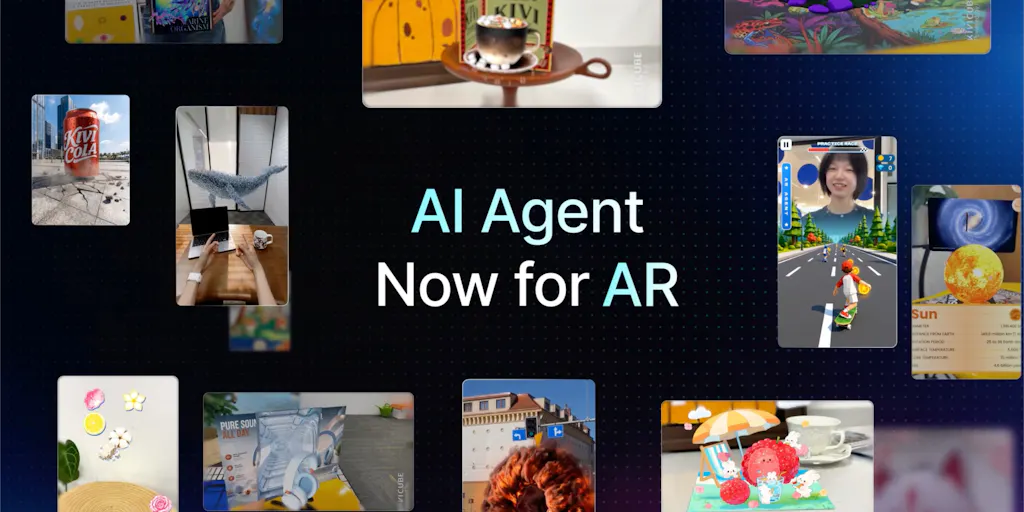
This is precisely the pain point that the Kivicube team is targeting with what they’re calling the Kivicube AR Agent. The premise, as stated in their launch post, is simple: instead of starting from a blank editor, you describe your idea in natural language, and the tool generates an interactive AR experience with animations, interactions, UI, and experience pages. The key claim is that you remain in control—you can open the visual editor, fine-tune details, add your own assets, and build on top of what the AI creates.
The phrase that matters most in their pitch is this: “creating AR shouldn’t require learning a complicated tool first. You should be able to start with an idea.” That’s not a feature list; that’s a philosophical stance. And it’s the correct stance for the e-commerce market. The incumbent tools—think Unity with AR Foundation, or even Apple’s Reality Composer—are built for developers. They assume you think in hierarchies and coordinate systems. Kivicube is betting that the future belongs to prompt-to-experience, with the editor as a refinement layer, not the starting point.
How this differs from the AR tooling you already ignored
If you’ve been in this industry long enough, you’ve seen the cycle. A new AR tool launches, promises to democratize 3D content, gets a wave of Product Hunt upvotes, and then quietly fades because the output looks like a low-poly asset flip. The skepticism is warranted. But the differentiation here is worth examining closely.
The incumbent comparison I’d draw is to the WebAR builders like 8th Wall (now part of Niantic) and ZapWorks. These are legitimate, powerful platforms. 8th Wall, in particular, has a solid track record for markerless AR in the browser, and it’s used by real brands for real campaigns. But the authoring experience is still fundamentally technical. You’re working with a scene graph, you’re importing GLB files, you’re wiring up JavaScript events. It’s a developer tool that marketers tolerate, not a tool that marketers enjoy.
Then there’s the Shopify AR Quick Look integration, which is the path of least resistance for most DTC brands. It’s simple—you upload a USDZ file and Shopify handles the rest. But that’s also the problem. It’s a viewer, not a creator. You still need to source the 3D model from somewhere, and if your product is a soft goods item like a hoodie or a complex mechanical product, the 3D modeling cost is prohibitive. Shopify’s solution solves the delivery, not the creation.
Kivicube’s bet is that the AI layer can compress the creation timeline from weeks to minutes. The prompt-to-AR workflow means you start with intent, not with a blank canvas. For a cross-border seller, this changes the calculus. Instead of hiring a 3D artist in Shenzhen or a freelancer on Upwork to build a model for a single hero product, you can generate a first-pass experience, evaluate it, and decide if it’s worth the investment to refine. It’s a low-cost probe into a high-cost capability.
The second differentiator is the emphasis on the visual editor as a refinement layer. Most AI-generated content tools—whether it’s text or image—treat the output as final. You get what you get, and you go back to the prompt to iterate. Kivicube is explicitly positioning the editor as the place where you “fine-tune every detail.” That’s a recognition that for e-commerce, the AI output is a starting point, not a deliverable. Your brand colors, your specific product angles, your compliance requirements—those aren’t things a generic AI prompt will nail on the first try. The hybrid workflow of AI generation plus manual control is the right architecture for professional use.
Why Amazon sellers should care more than Shopify ones
Here’s a contrarian take: the Shopify DTC crowd gets all the attention for AR, but the Amazon FBA seller has a bigger opportunity—and a bigger pain. On Shopify, you own the storefront, and you can embed AR viewers into your product pages with relative ease. But on Amazon, the path to AR is murkier. Amazon has been experimenting with AR for furniture and cosmetics, but the rollout has been inconsistent across categories and marketplaces. For an FBA seller, the ability to generate an AR experience quickly and test it on your own product pages (via a link or embedded iframe) before Amazon decides to standardize on a solution is a competitive advantage.
Moreover, Amazon sellers are operating in a data vacuum. We get click-through rates and conversion rates, but we rarely get qualitative feedback on why customers bounce. An AR experience that a customer engages with—rotating the product, placing it in their environment—is a rich signal. If you can track that engagement and correlate it with conversion lift, you have proprietary data that most of your competitors lack. Kivicube’s positioning as a tool that generates both the experience and the “experience pages” suggests they’re thinking about the full funnel, not just the 3D viewer. For an Amazon seller used to the black box of Seller Central, any additional layer of customer intent data is a win.
What cross-border sellers can actually borrow from this workflow
Beyond the specific tool, there’s a workflow lesson here that applies to any seller running a global operation. The lesson is about prompt-driven iteration as a cost-reduction strategy.
Cross-border e-commerce is a game of versioning. You launch a product, you get reviews, you iterate on the listing, you improve the product, you re-launch. The cost of each iteration cycle is usually dominated by creative production: new images, new videos, new A+ content. If you can compress the cost of generating a 3D/AR experience—even a rough one—you can test more variations. You can create an AR experience for a product variant that you’re not sure will sell, and if it flops, you’ve only lost the time it took to type a prompt.
This is the same logic that drove the adoption of AI-generated product photography tools like Photoroom or the background-removal features in Canva. Nobody thought AI-generated images would replace professional photography entirely, but they became a rapid-prototyping layer that let sellers test creative directions before committing budget. Kivicube is attempting to do the same for 3D and AR. The question is whether the output quality is good enough for a hero product page, or whether it’s only good enough for a secondary page or a social media teaser. That’s a question I’d want to test empirically.
There’s also a logistics angle that few people talk about. AR is not just a marketing tool; it’s a returns-reduction tool. The single biggest cost driver for cross-border sellers is reverse logistics. A customer who orders a lamp and finds it’s the wrong scale for their room is a customer who returns it—and you eat the shipping both ways. If AR can solve the “will it fit in my space” problem before the purchase, it directly attacks your returns rate. For large, bulky, or dimensionally sensitive products—furniture, home decor, appliances—this is not a nice-to-have; it’s a margin saver. The Kivicube workflow, which generates animations and interactions, could plausibly be used to create a “scale check” experience that shows the product in a real-world context. That’s a practical use case that goes beyond the “wow factor” of AR.
Where the math breaks
I want to be clear about the limitations, because there’s a trap in AI-generated AR that I’ve seen in other AI-generated content categories. The trap is sameness. When you prompt an AI to create an AR experience, it will pull from its training distribution. That means the output will look like the average of all AR experiences it has seen. For a cross-border seller, average is death. Your product needs to stand out in a grid of thumbnails, and if your AR experience looks like every other generated AR experience, you’ve spent effort to blend in.
The second issue is asset fidelity. AR is only as good as the 3D model. If the AI generates a generic representation of a “chair” or a “bottle,” it won’t match your actual product. You’ll need to upload your own CAD files or 3D scans, and at that point, you’re back to needing a 3D asset pipeline. The prompt-to-AR workflow is great for exploring interaction patterns and UI layouts, but it’s not a replacement for a proper 3D scan of your physical product. The Kivicube pitch acknowledges this by saying you can “add your own assets,” but the practical reality is that most sellers don’t have a 3D asset library sitting around. They have product photos and maybe a CAD file from the factory.
The third concern is platform fragmentation. AR works differently on iOS and Android, and it works differently inside a web browser versus a native app. Kivicube, to their credit, has been around since 2026 and has a track record of building WebAR experiences that work across devices. But the cross-platform compatibility question is never fully solved. You’ll need to test on a range of devices, and for a cross-border seller, that means testing on the budget Android devices that are prevalent in emerging markets, not just the latest iPhone. If the AR experience lags or crashes on a mid-range device, you’ll do more harm than good.
My judgment: a promising probe, not a silver bullet
If I’m being honest, the Kivicube AR Agent is a tool I’d put in the “test on a single SKU” category, not the “re-platform your entire tech stack” category. The promise is real, but the execution is unproven at scale. The launch page shows no reviews yet, and the social proof is thin—81 upvotes and 6 comments at the time of the scrape. That’s not a knock on the product; it’s a reality check on maturity. The team is clearly thinking about the right problem, and their previous launch history suggests they’re iterating in the right direction.
What I’d want to see before committing real budget is a side-by-side test. Take a hero product, build an AR experience using Kivicube’s prompt-to-AR workflow, and compare the output against an experience built by a professional agency. Measure three things: time to production, cost per experience, and customer engagement (time-in-experience, add-to-cart rate, and return rate). If the AI-generated version gets you 80% of the engagement at 10% of the cost, it’s a winner for everything except your flagship product. If it gets you 50% of the engagement, it’s still a winner for long-tail SKUs where you’d never spend agency money.
There’s also a strategic angle for the cross-border operator. The window for arbitrage on AI-generated AR is open right now. Early adopters of AI product photography got a conversion lift before the market got saturated with AI-generated images. The same will happen with AR. The sellers who figure out the workflow now—who learn how to prompt for their specific product categories, who build a library of reusable 3D assets, who understand which products benefit from AR and which don’t—will have a compounding advantage. The tool will get commoditized, but the workflow and the data you generate from testing won’t.
What I’d watch / test next
If you’re running a DTC store or an Amazon brand and you want to act on this, here’s the concrete plan for this week.
First, pick a single product that has a spatial dimension—furniture, lighting, a home decor item, or anything where scale and placement matter. Don’t pick a t-shirt. The AR value proposition is weakest for flat, size-standard products.
Second, go to the Kivicube Product Hunt page and read the maker’s comment about the AR Agent. Then sign up and run a prompt. Don’t overthink the prompt. Describe the product, the desired interaction (e.g., “let the user place this lamp on a table and rotate it”), and the vibe you want. Time how long it takes to get a usable output. That’s your baseline metric.
Third, if the output is passable, put it on a secondary product page or a landing page for a paid social campaign—not your main product page. Test engagement and click-through against the control. The goal is to validate whether the AR experience changes behavior, not to launch a full-scale rollout.
Fourth, start building a 3D asset library. Even if you don’t use Kivicube long-term, the bottleneck for all AR is assets. Contact your factory or supplier and ask if they have CAD files for your products. If they do, you’re ahead of 90% of sellers. If they don’t, consider a photogrammetry service for your top 10 SKUs. The tool will change, but the assets are a durable investment.
Finally, watch the Kivicube product page for updates and reviews. The absence of reviews at launch is a signal that the user base is small, but it also means there’s no consensus yet on what the tool is good for. If you test it early and document your results, you’ll be ahead of the curve when the inevitable “how we use AI AR for e-commerce” case studies start circulating. The tool might not be the final answer, but the direction—prompt-to-experience, with human refinement—is where the industry is heading. Getting comfortable with that workflow now is the real takeaway.


