The feedback loop is the last unautomated mile in cross-border ops
Cross-border sellers spend real money getting traffic, real money getting product, and almost nothing getting structured feedback from the humans who actually touch the storefront. That gap matters more now than it did two years ago: ad costs on Meta and TikTok have compressed margins, Amazon’s A9 and Rufus-era ranking rewards conversion and review velocity, and a single broken checkout on a localized storefront can burn a week of paid spend before anyone notices. So when a small tool shows up promising to let a non-technical operator point at a broken button on a live page and ship a structured note to the person who can fix it, I pay attention — not because it’s glamorous, but because it’s the kind of plumbing that decides whether a $50k/month DTC brand scales or stalls. That’s the lens I’m bringing to UserCall, a Product Hunt launch from maker Junu Yang.
What UserCall actually solves (and what it doesn’t)
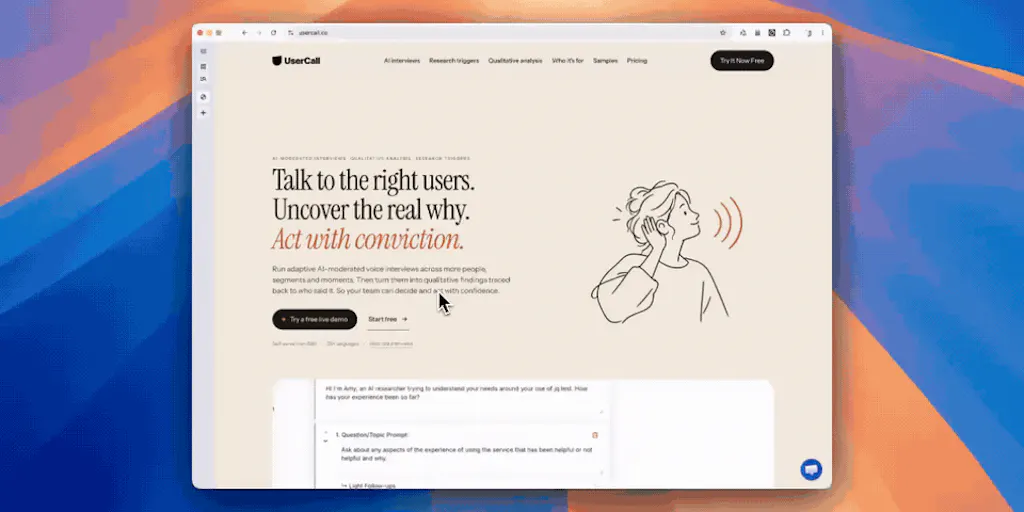
Strip away the launch-page polish and UserCall is a visual feedback layer. You point at a specific card, button, or element on a live page; the tool captures that context; and it batches the notes into a single send rather than firing off a Slack ping per click. The first comment on the launch thread, from Oleksii Sekundant, nails the value: “Being able to point at the actual card or button saves a lot of describing which one you mean.” That’s not a small thing. Anyone who has managed a remote dev or agency relationship knows the tax of translating “the third carousel tile on mobile, the one with the promo badge” into shared understanding. Every round-trip costs a day, and a day on a broken PDP during a BFCM push costs real revenue.
The batching detail is the more interesting design choice. Most feedback tools optimize for capture speed and let the notification layer become noise. UserCall’s framing — “sending the notes as one batch” — implies the maker understands that the recipient, usually a developer or agency PM, doesn’t want twelve separate pings. That’s an operator-grade instinct, not a designer instinct. It’s the kind of thing you only build if you’ve been on the receiving end of a chaotic feedback thread.
But here’s where I want to be honest about scope. UserCall is not a session replay tool, not a heatmap, not a full QA platform. It sits in a narrower lane: annotated, batched, visual notes tied to specific elements. That’s a feature, not a product category — which is exactly why it’s interesting. The question is whether the category is big enough to sustain it, or whether it’s a wedge into something larger.
Why Amazon sellers should care more than Shopify ones
If you’re a pure Shopify DTC operator with an in-house dev, UserCall is a nice-to-have. You probably already have a Slack channel and a Loom habit. But if you’re an Amazon FBA brand owner running a Brand Store, an A+ content page, or a localized storefront in DE/JP, the feedback loop is genuinely broken. You’re often working through an agency or a VA who doesn’t have design vocabulary, and you’re shipping copy and layout changes into a system where a broken module doesn’t throw an error — it just quietly converts worse. Visual annotation tools that work on a live URL without requiring a code deploy are disproportionately valuable in that environment. Same logic applies to TikTok Shop storefronts and Temu seller-center listings, where the UI is owned by the platform and your only lever is the asset you upload. The closer your feedback loop, the faster you catch the asset that’s underperforming.
How it stacks up against the incumbents
The honest comparison set here isn’t Figma comments — those live on design files, not live pages. It’s closer to three buckets:
Bug-and-feedback capture tools. Marker.io, BugHerd, and Usersnap have owned this space for years. They’re mature, they integrate with Jira and Linear, and they handle the “map the annotation back to the DOM element” problem with varying degrees of elegance. UserCall’s differentiation is mostly UX: lighter, more batching-oriented, less enterprise-shaped. Whether that’s enough to pull operators off a tool they already pay for is the open question.
Session replay and product analytics. Hotjar, FullStory, and Microsoft Clarity give you the “what happened” layer — rage clicks, dead clicks, drop-off funnels. They don’t give you a clean way to hand a specific broken element to a specific person. That’s a workflow gap UserCall fills, and it’s why I’d argue these tools are complements, not competitors.
Project-management-native feedback. If your team already lives in Asana, ClickUp, or Notion, the marginal value of a separate feedback tool drops. The winning move for any tool in this category is deep, low-friction integrations — and the launch page doesn’t disclose which integrations ship at launch. That’s a real gap.
Where the math breaks
The pricing isn’t disclosed on the launch page, which makes ROI math impossible to run. But here’s the framework I’d use: if UserCall saves one round-trip per week between an operator and a dev or agency, and that round-trip costs you half a day of a $60/hr contractor, you’re looking at roughly $120/week in recovered time. That justifies a seat cost up to about $50/month without much argument. Above that, you need it to replace something you’re already paying for — Marker.io, BugHerd, or a portion of a Hotjar seat. Below that, it’s a no-brainer for any team running more than one storefront.
The harder math is on the Amazon side. If you’re paying an agency $3-5k/month to manage your Brand Store and A+ content, and UserCall cuts your revision cycles from three to one, you’re not just saving time — you’re getting more output from the same retainer. That’s the argument I’d lead with to FBA brand owners, not “it’s a nicer feedback tool.”
What cross-border operators can borrow from this
Even if you never install UserCall, the design principles behind it are worth stealing for your own ops stack.
Batch your feedback, don’t stream it. The single biggest source of friction between cross-border operators and their dev/agency partners is notification volume. If you’re sending a Slack message per issue, you’re training your partner to ignore you. Batch into a daily or twice-daily digest. The Klarna ops teams and the better Gorgias-managed support orgs I’ve seen do this instinctively; most DTC brands don’t.
Anchor feedback to the artifact, not the description. Every hour spent describing “the third tile on mobile” is an hour not spent on Helium 10 keyword research or Klaviyo flow optimization. Visual anchoring is the fix.
Separate the capture layer from the resolution layer. UserCall captures; Jira or Linear resolves. Don’t try to make one tool do both — that’s how you end up with a Notion doc nobody reads.
Treat localized storefronts as first-class surfaces. If you’re running SHEIN or Etsy alongside your own DTC site, you have at least three distinct UIs where a broken element can hide. A feedback tool that works on any live URL, regardless of platform, is worth more than one that only hooks into your Shopify theme.
A sidebar on the Tailwind problem
The most technically interesting comment on the launch thread came from Blair, who asked the right question: “how do you map the element I point at back to the source? with hashed class names from tailwind or css modules there isn’t much to match on, so curious what you key off.” This is the crux of the entire category. Modern front-end stacks — Tailwind, CSS Modules, styled-components — deliberately obfuscate class names, which breaks the naive “match by class” approach that older tools relied on. The robust solutions key off DOM path, element position in the tree, or a stable data attribute injected at build time. The launch page doesn’t disclose which approach UserCall uses, and the maker’s reply isn’t captured in the scrape. This matters enormously for cross-border sellers because your Shopify theme, your headless storefront, and your Amazon Brand Store all have different DOM stability profiles. If UserCall can’t reliably re-anchor a note after a theme update, the tool degrades into a fancy screenshot annotator — useful, but a much smaller business.
Where my judgment says it falls short
Three concerns, in order of severity.
No disclosed integrations. For a feedback tool to survive in a cross-border ops stack, it has to push into Jira, Linear, Asana, ClickUp, or at minimum a webhook. The launch page doesn’t say. If the answer is “we’re working on it,” that’s a problem — this category is mature and integration depth is table stakes.
No disclosed pricing. Free tools in this space (Markup.io, for instance) exist. Paid tools with no public pricing force a sales conversation, which kills self-serve adoption for exactly the audience that would benefit most — small DTC operators and solo FBA sellers.
The category is crowded and the differentiation is thin. “Point at a thing, send a note” is a feature that Marker.io, BugHerd, Usersnap, and a dozen others already ship. UserCall’s batching UX is a genuine improvement, but it’s not a moat. The moat, if there is one, is either (a) a killer integration with a platform the incumbents ignore — TikTok Shop, Temu seller center, Amazon Brand Store — or (b) a price point that makes it an impulse buy. Neither is visible from the launch page.
Where this could win anyway
Here’s the counter-argument to my own skepticism. The incumbents are enterprise-shaped: they sell to product teams at SaaS companies, not to cross-border e-commerce operators. Their onboarding is heavy, their pricing is seat-based and expensive, and their UX assumes a Jira-centric workflow. A tool that says “we’re for e-commerce operators, not product managers” and prices accordingly could carve out a real niche — the same way Gorgias carved out e-commerce support from Zendesk’s generalist position, or how Triple Whale carved out DTC analytics from GA4’s sprawl. The wedge is real if the positioning is disciplined.
What I’d watch / test next
If you’re a cross-border operator curious about UserCall, here’s what I’d do this week. First, pull up your worst-converting localized storefront — probably your DE or JP Shopify store, or your Amazon Brand Store in a non-English marketplace — and manually walk through it on mobile. Note every element that looks off. That exercise alone will tell you whether a visual feedback tool is worth your time. Second, if you already pay for Marker.io, BugHerd, or Usersnap, ask your account manager for their e-commerce pricing tier; if it doesn’t exist, that’s your opening for a challenger tool. Third, if you manage an agency relationship, run a one-week experiment: batch all feedback into a single daily digest instead of streaming pings, and measure whether your revision cycle time drops. That’s free, and it tests the core thesis behind UserCall without installing anything. Fourth, watch the launch thread for the maker’s answer to Blair’s Tailwind question — that single reply will tell you more about the tool’s technical ceiling than the entire landing page. And fifth, if you’re evaluating this for a team larger than three people, demand a public pricing page before you book a demo. Tools that hide pricing from small operators usually aren’t built for small operators.