Why a 3D Aesthetics Harness Matters More Than Another AI Ad Tool
Let me be blunt: most cross-border sellers are drowning in AI tools that promise better ads, smarter emails, and faster product listings. What we actually lack is a way to enforce quality at the asset-creation stage — before a pixel ever hits a Facebook feed or an Amazon listing page. When I saw anyCreature on Product Hunt, I didn’t see a niche toy for game artists. I saw a blueprint for a problem that plagues every DTC operator scaling 3D product renders, AR try-ons, and interactive listings: how do you objectively measure whether a 3D asset is good enough to ship? This open-source harness, built by a technical artist, automates pass/fail checks on poly count, vertex budget, rigging, animation tracks, and even silhouette readability at 24px. That’s not gaming trivia. That’s a quality-control layer that most e-commerce teams haven’t even admitted they need.
The Real Problem: Your 3D Assets Are a Black Box
Here’s what I see weekly in my consulting work with Amazon FBA brand owners and Shopify DTC stores: teams spend $5,000 to $20,000 on a single 3D product render or an interactive configurator, then upload it to their storefront with zero verification that it will actually perform. They check the file opens. They check the colors look right on a 27-inch monitor. They never check whether the asset holds up when compressed to a 50KB thumbnail on a mobile listing or when loaded inside a WebGL viewer on a $200 Android phone.
The anyCreature harness addresses this exact blind spot. Its three automated pipeline checks are directly transferable to e-commerce asset pipelines:
QC Thresholds: Automated pass/fail checks for standard game-engine specs — poly count, vertex budget, rigging, animation tracks. For a seller, this translates to “will this model load under 3 seconds on a mid-tier phone?” and “does this file meet the platform’s upload spec without manual QA?”
Quantified Aesthetics: Spatial vertex analysis to objectively measure mass distribution and form tension. In e-commerce terms, this is the difference between a product render that looks “off” and one that feels physically plausible — which matters enormously for trust in categories like furniture, footwear, or cosmetics.
Silhouette & Readability: Automated high-contrast B&W renders and 24px thumbnail tests. This is pure conversion optimization. Think about how many of your clicks come from a tiny thumbnail in a Shopify collection page or an Amazon search result. If your product can’t be recognized at 24px, you’re bleeding impression-to-click rate and you don’t even know why.
The maker, Ariescar, describes it as a “mesh-based generative harness designed to programmatically quantify and enforce 3D aesthetics.” That’s dense language, but the core insight is simple: aesthetics can be measured, not just felt. And in a global marketplace where your customer never touches the product, measurable aesthetics are a competitive weapon.
How This Differs From What You’re Already Using
If you’re a serious operator, you’re probably already using Helium 10 for keyword research, Klaviyo for email flows, and maybe Shopify’s native AR Quick Look for product views. None of those tools tell you whether your 3D asset is technically sound or visually legible. They measure traffic and conversion, not asset quality. That’s the gap anyCreature fills.
Let me compare it to the incumbents you might be tempted to use instead:
- Sketchfab (and its enterprise tier) is a great hosting and viewing platform, but it’s a distribution tool, not a QC tool. You upload, you embed, you pray. No automated pass/fail on rigging or vertex budget.
- Blender (free, open-source) can do everything anyCreature does, but it requires a skilled 3D artist to manually inspect the model. The whole point of anyCreature is that it runs headless — you drop it into your CI/CD pipeline or into an AI agent, and it returns a verdict without human eyeballs.
- Marmoset Toolbag is a rendering and viewing tool for artists. It doesn’t automate aesthetic judgments. It’s a paintbrush, not a quality gate.
- AWS or Google Cloud’s 3D pipelines are infrastructure, not judgment. They’ll host your assets, but they won’t tell you the silhouette is illegible at thumbnail size.
The closest analog I can think of is what GTmetrix or PageSpeed Insights does for web performance — it gives you a score and tells you what to fix. anyCreature is that for 3D assets. That’s a category that barely exists in the e-commerce tooling stack today.
Another way to think about it: if you’ve ever used Canva’s brand kit to enforce logo spacing or color hex codes, you understand the value of automated brand compliance. anyCreature is the same idea, but for geometry and visual hierarchy.
Why Amazon Sellers Should Care More Than Shopify Ones
Here’s my contrarian take: Amazon sellers need this more than Shopify store owners, even though Shopify is the platform that actually supports 3D and AR product views natively.
Why? Because Amazon’s listing environment is brutally constrained. You get a fixed set of image slots, a thumbnail that’s roughly 90x90 pixels in search results, and a mobile app that compresses everything. If your main product image is a 3D render, it has to survive that compression and still communicate “what is this and why should I click it?” The 24px silhouette test built into anyCreature is exactly the test Amazon’s algorithm is implicitly running on your main image every time you lose a click to a competitor with a clearer thumbnail.
Shopify store owners have more control — they can design their own collection pages, control image sizes, and use custom media. But that control also means they have more places to make mistakes. A 3D model that looks stunning on your hero banner might be illegible in a “related products” carousel at 40px wide. anyCreature’s automated B&W contrast render forces you to see your asset the way a distracted mobile shopper sees it: as a shape, not a product.
So while the tool was built for game monsters (the maker is a Technical Artist, and the demo is literally about spawning creatures for the Gobkit Community Gallery), the underlying logic applies directly to a $200 ergonomic chair or a $40 skincare serum bottle. If your asset can’t pass a silhouette test, it’s not ready for Amazon search results.
What Cross-Border Sellers Can Actually Borrow From This
You don’t need to become a 3D artist to use this harness. You need to steal its principles and apply them to your own asset pipeline. Here’s what I’d take from anyCreature this quarter:
1. Automate your QC thresholds
Stop manually checking whether your product images meet platform specs. Amazon’s image requirements are well-documented — 1000px minimum, pure white background, no text overlays — but most sellers still do this by eyeball. Build a simple script that checks each upload against your channel’s spec sheet: pixel dimensions, file size, color profile, resolution. If it fails, reject it before it ever reaches your listing. That’s exactly what anyCreature does for game-engine specs, and it’s embarrassingly easy to replicate for 2D assets.
2. Quantify your aesthetics
This is the harder ask. Most sellers can’t articulate why one product render converts better than another. anyCreature’s “spatial vertex analysis” measures mass distribution and form tension — in plain English, it checks whether the object looks balanced and physically plausible. For e-commerce, the equivalent is a checklist: Does the product look stable? Is the lighting direction consistent? Are shadows physically accurate? Is there any distortion at the edges? You can’t automate this with a simple script, but you can create a scored rubric and make every render pass through it before approval. The discipline matters more than the tool.
3. Test at thumbnail size, always
This is the single most transferable practice from anyCreature. Before you approve any product image — 2D or 3D — shrink it to 24px, convert it to grayscale, and ask: “Can I still tell what this is?” If the answer is no, your listing is going to underperform in any grid-based UI (Amazon search, Shopify collections, TikTok Shop carousels). This is a five-minute test that most teams never run. anyCreature automates it; you can do it manually with a screenshot and a resize.
4. Deploy headless into your agent stack
The maker explicitly notes the harness is “natively designed to be fetched and deployed headless” — you can drop it into your AI agent and prompt it directly within your active workspace. For cross-border operators, this is a glimpse of the future: your AI product manager should be able to spawn a 3D product variant, run it through QC, and get a pass/fail verdict without a human in the loop. That’s not science fiction. That’s a workflow you can prototype this week if you have any 3D assets in your pipeline.
Where the Math Breaks
Now let me give you the skeptical take, because you didn’t come here for a hype piece.
First, the tool is built for game assets, not consumer products. The QC thresholds are calibrated for “standard game-engine specs” — poly count, vertex budget, rigging, animation tracks. A furniture model for an AR try-on has very different constraints than a game monster. You’ll need to adapt the thresholds, and the maker doesn’t provide e-commerce presets. Not disclosed, but I’d bet the default settings are too strict for a photogrammetry scan of a sneaker and too loose for a hero render you plan to zoom into at 400%.
Second, “quantified aesthetics” is a bold claim. The idea that spatial vertex analysis can “objectively measure mass distribution and form tension” is clever, but aesthetics are not purely geometric. Lighting, material response, and context matter enormously. A chair that looks balanced in isolation might look wrong in a room scene, or under warm lighting, or next to a human figure. The harness can’t see those contexts. It’s measuring geometry, not beauty.
Third, the workflow is still developer-facing. The maker is a Technical Artist, and the tool is designed to be fetched and deployed headless. That means it’s a CLI tool, not a GUI. For most cross-border sellers — even sophisticated DTC operators — that’s a non-starter unless you have a technical co-founder or a freelancer who can wire it into your pipeline. The Product Hunt comments even include a suggestion that the website should be optimized for mobile to make “discovering” the features easier — which tells you the current onboarding experience is not beginner-friendly.
Fourth, there’s no marketplace integration. This doesn’t plug into Amazon Seller Central, Shopify, or Etsy. You’d have to export your assets, run them through the harness, and then re-import the results. That’s friction. The tool is a gate, not a pipeline.
Where I’d Push Back on the Maker’s Framing
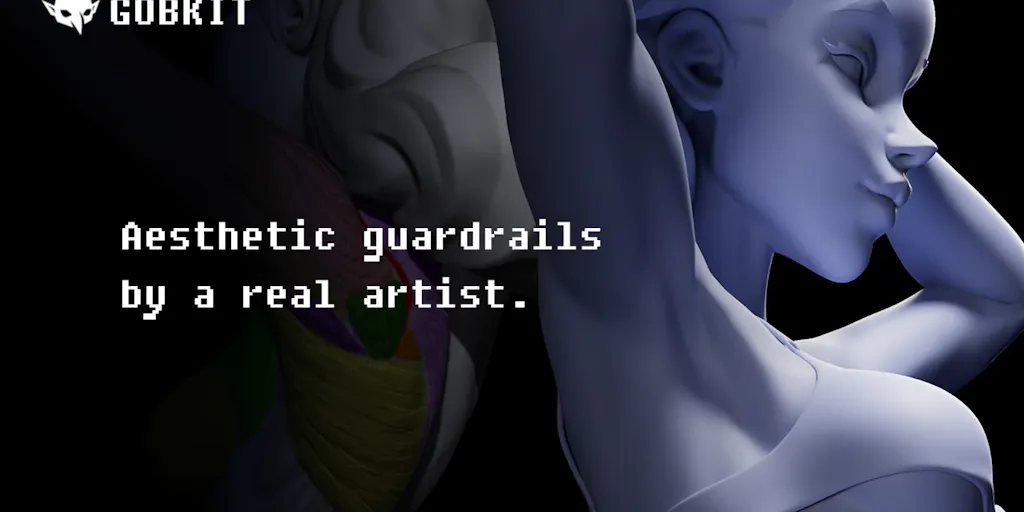
The maker, Ariescar, positions this as a tool for spawning monsters and sharing them on the Gobkit Community Gallery. That’s a fine hook for Product Hunt, but it undersells the core insight. The real value isn’t in the creature generation — it’s in the enforcement layer. Any generative AI tool can produce a 3D model that looks plausible. The hard part is knowing whether that model will survive contact with a real rendering engine, a real mobile GPU, and a real shopper’s 3-second attention span.
That’s the same problem cross-border sellers face with AI-generated product images. Tools like Midjourney can create stunning lifestyle shots, but they often fail on basic physics — wrong number of fingers, impossible shadows, distorted logos. The market is flooded with AI-generated listing images that look great at full size and fall apart at thumbnail. anyCreature’s approach — automated pass/fail checks, quantified geometry, silhouette testing — is the antidote to that sloppiness.
What I’d love to see from the maker: a “consumer product” mode that recalibrates the thresholds for e-commerce assets, and a simple web uploader that lets a non-technical seller drop in a .glb file and get a report. The headless deployment is great for startups with engineering teams, but the cross-border seller market is full of solo operators and small teams who need a GUI, not a CLI.
What I’d Watch / Test Next
If you’re a cross-border operator and this resonates, here’s what I’d do this week — no 3D artist required:
Run a thumbnail audit on your top 10 SKUs. Screenshot your main product image from your live listing, resize it to 24px in any image editor, convert to grayscale, and look at it. If you can’t tell what the product is, you’ve found a conversion leak. Fix the image, not the tool.
Steal the QC threshold concept. Write a one-page spec sheet for your product images per channel: Amazon (1000px, white background, no text), Shopify (square, under 500KB, consistent lighting), TikTok Shop (vertical, high contrast). Add a pass/fail checkbox to your asset approval workflow. You don’t need a script — you need discipline.
If you have any 3D assets in your pipeline (AR try-ons, configurators, 360 spins), pull down anyCreature and run it on one model. Even if the thresholds don’t fit your use case, the report it generates will teach you what to look for when you’re reviewing assets from freelancers or agencies.
Watch the Gobkit Community Gallery (https://gobkit.com). It’s a signal of where the maker is heading. If they add consumer-product presets or a GUI, this becomes a must-test tool for anyone doing 3D product work. If they stay in the game-asset lane, you’ve still learned a valuable framework.
The bottom line: anyCreature isn’t a tool you’ll use every day — unless you’re a 3D-heavy brand — but it’s a framework you should adopt immediately. Automate your QC. Quantify your aesthetics. Test at thumbnail size. Deploy headless where you can. That’s the discipline that separates brands that look premium from brands that look like they’re run by amateurs, and it’s exactly the kind of edge you need when your customer is 8,000 miles away and making a buying decision in 2.3 seconds.