Why a Developer SSH Tool Matters More to Your Shopify Store Than You Think
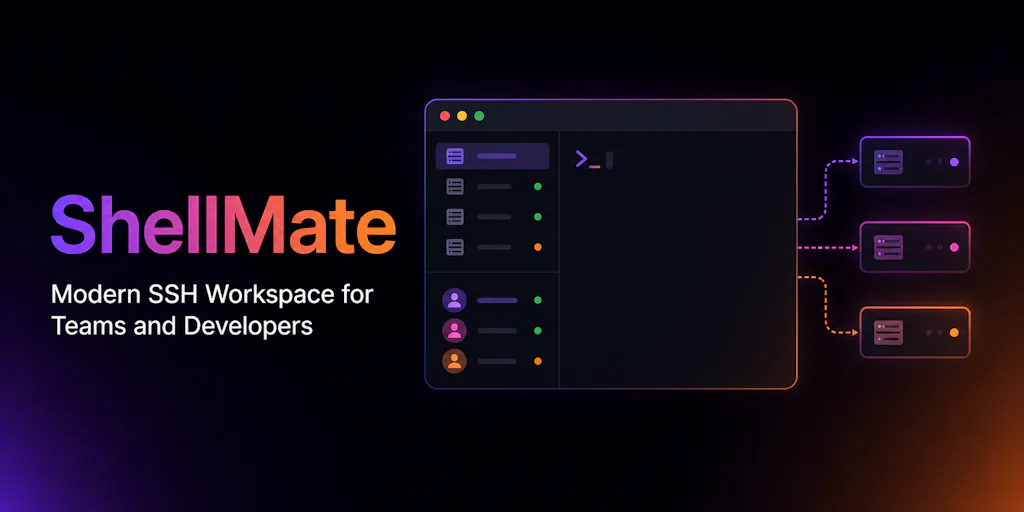
If you manage a cross-border operation—whether it’s a Shopify DTC brand, an Amazon FBA roll-up, or a multi-marketplace aggregation play—you already know that your technical stack is the only thing standing between order number 10 and order number 10,000. But here’s the part most operators ignore: the servers behind the scenes. The cron jobs that sync inventory to TikTok Shop. The headless CMS serving your German-language PDPs. The scrapers tracking competitor pricing on Amazon DE. Every one of them lives on a machine you SSH into, and every SSH key is a single point of failure that can take down a territory. So when a tool like ShellMate appears on Product Hunt promising a modern workspace for managing SSH credentials, teams, and server fleets, it’s not a developer distraction—it’s a direct hit to operational risk. I’ve been watching the tooling gap between e-commerce ops and infrastructure management for years, and this is the first time I’ve seen a product that treats credential sprawl as a first-class problem for small teams, not just enterprise SREs.
The Real Problem: Credential Sprawl Is a Tax on Growth
Every cross-border seller I know has a messy spreadsheet (or worse, a plain-text file) listing server IPs, usernames, and paths to .pem files. The team grows—a logistics dev, a marketplace integration engineer, a junior data analyst—and suddenly three people share one root login because “it’s easier.” That’s the credential sprawl that ShellMate is trying to solve, according to the maker Arab Hossain, who explains that existing clients feel outdated or overloaded with enterprise features. The product targets the exact stage where most e-commerce teams stall: when you have 3–10 servers and 2–20 people who need access.
But the problem goes deeper than just convenience. In a multi-marketplace setup, your Amazon SP-API app may pull data through a dedicated EC2 instance, your Shopify headless storefront runs on a VPS, and your TikTok Shop integration lives on another box. Each machine holds credentials to your marketplace APIs, your payment gateways, and your customer databases. A leaked SSH key doesn’t just cost you a server rebuild—it costs you account suspensions, GDPR fines, and customer trust. ShellMate’s pitch of “server-managed encrypted credentials” and “team collaboration features” should resonate immediately with anyone who has ever had to chase down a previous employee’s .ssh folder.
The maker also highlights that ShellMate v1.3 adds AI assistance for troubleshooting and command generation. That might sound gimmicky, but think about the scenario: your Turkish localization script fails at 3 AM because a dependency changed. You SSH into the box, paste a garbled error, and let an LLM suggest the fix. For a lean ops team that can’t afford a 24⁄7 on-call, that feature alone could save hours of lost revenue.
How ShellMate Differs from Incumbents (and Where It’s Still Behind)
The SSH client market is dominated by old guard tools like PuTTY (Windows only, no team features) and Termius (cross-platform, subscription model, strong team sync). ShellMate undercuts them on two fronts: pricing and focus.
Pricing That Makes Sense for Bootstrapped Sellers
Hossain states outright that “individual developers can use ShellMate forever for free (without AI features), while teams only pay if they need collaboration or AI capabilities.” Compare that to Termius, which charges $10/month per user just for basic team sync, or to the enterprise-tier slogs of mRemoteNG (open-source but clunky). For a 5-person e-commerce ops team, ShellMate’s free tier covers your core need: secure storage of credentials, split terminals, and an SFTP file manager. You only pay when you want the AI assistant or the audit trail—features that become essential at scale but aren’t day-one blockers.
The Team Collaboration Gap
However, the product’s team side currently targets what Peter Hough called “small teams sharing a handful of boxes.” If you’re running 50+ servers across three AWS regions with IAM roles and AWS Systems Manager Session Manager (as user Rahul Ladumor pointed out), ShellMate’s purely key-based connection model feels retrograde. Session Manager eliminates inbound port 22 entirely and uses IAM for authentication—exactly the kind of “no SSH keys to leak” architecture that security-conscious sellers should be adopting. Until ShellMate can proxy through SSM or support Tailscale-style zero-trust tunnels, it’s a complement to, not a replacement for, modern cloud-native access patterns.
The Missing Zero-Knowledge Architecture
The most honest part of the launch thread is the security discussion. When Gal Dayan asked if ShellMate can decrypt stored credentials if the server is compromised, Hossain replied: “it isn’t a zero-knowledge architecture yet.” That’s a critical omission for anyone managing production servers. If your entire credential vault lives in ShellMate’s cloud, a breach could expose every SSH key you own. The maker promises a zero-trust design is coming, but for now, sellers who need to comply with PCI-DSS or GDPR should treat ShellMate as a convenience layer, not a security anchor. The risk is amplified because ShellMate itself becomes “a really juicy target if it’s ever compromised,” as Omri Ben-Shoham observed.
What Cross-Border Sellers Can Borrow from ShellMate’s Approach
Even if you never install the tool, the thinking behind it offers three actionable lessons for your own tech stack.
1. Audit Your Credential Surface
ShellMate forces you to centralize SSH keys and credentials. Ask yourself: how many people in your company have root access to your production Shopify backend? If you don’t know, that’s a bigger problem than any tool can solve. Start using a team-based credential manager, whether it’s 1Password for Teams (which supports SSH keys natively) or an open-source option like Vault by HashiCorp. The point isn’t to replicate ShellMate’s UI but to enforce the same discipline: no shared .pem files, no exceptions.
2. Automate the Boring Ops
ShellMate’s AI troubleshooting is aimed at reducing time-to-fix for common server issues. You can do the same by investing in runbooks or using a tool like Grafana OnCall to alert you with pre-built commands. Better yet, automate your deployment pipelines so you rarely need to SSH into a machine at all. Tools like Shopify CLI and Amazon CodeDeploy can handle app updates without manual intervention.
3. Think About Team Access Before You Scale
The most common mistake I see is a team of four that treats server access like a “whoever is online” problem. By the time you hire your tenth employee, you have a mess of orphaned keys and no audit trail. ShellMate’s “permission-aware team access plus auditable connection controls” is exactly what you should demand from any tool you adopt. If your current setup can’t tell you who logged into which server at 2 AM last Tuesday, you’re flying blind.
Where the Math Breaks: Pricing, Security, and the Reality Check
The Free Tier Trap
ShellMate’s free forever plan is generous, but it excludes AI and team features. For a seller with a single developer, that’s perfect. But as soon as you need to collaborate—say, giving a logistics partner access to a server—you’re paying. The pricing page isn’t disclosed in the launch (the maker only says “teams only pay if they need collaboration or AI capabilities”), so we don’t know the sticker shock. If it’s $5/user/month, it’s a no-brainer. If it’s $29/user (Termius territory), the value proposition thins, especially given the security gaps.
The AWS Bias
Rahul Ladumor’s question about SSM integration is a reality check for any seller using AWS. The industry is moving away from distributing SSH credentials entirely. ShellMate’s architecture assumes you still want to manage SSH keys—and for many small sellers that’s fine—but if you’re already on AWS Control Tower, you’re better off using native tools like SSM and CloudTrail for auditing. ShellMate would need to become an orchestration layer, not an SSH client, to stay relevant.
The Solo-Build Risk
Hossain is clearly a talented solo developer (the thread notes “solid feature list for a solo build”). That’s both an advantage and a liability. A sole maintainer can move fast and listen to feedback, but the product’s long-term viability depends on his ability to ship zero-knowledge encryption, SSM support, and a sustainable business model. For a cross-border seller, adopting a tool that may not be around in 18 months is a real risk. I’d rather bet on a small team with backing (like Termius’s $4M seed round) than a passion project, no matter how polished.
Why Amazon Sellers Should Care More Than Shopify Ones
This might sound counterintuitive, but hear me out. Shopify stores, especially those on Shopify’s own hosting, rarely require direct server access—you manage apps through the admin panel and APIs. Amazon FBA sellers, on the other hand, often run custom reporting scripts, repricing logic, and warehousing integration on their own infrastructure. An Amazon seller with a dedicated EC2 instance for Helium 10 API pulls is exactly the kind of operator who needs ShellMate. Similarly, TikTok Shop and Temu sellers who manage their own headless frontends (or rely on custom middleware) will find SSH access unavoidable. If you’re a pure Shopify merchant using only Shopify apps, you can skip this tool. If you’re touching raw infrastructure, pay attention.
Where the Math Breaks: The AI Dependency
ShellMate’s AI assistant sounds useful, but it’s a double-edged sword. It runs on the provider’s infrastructure, which means any server output you paste into the AI (like error logs or environment variables) could be sent to a third-party LLM. If you’re handling PII or API keys, that’s a compliance nightmare. The maker doesn’t address data retention or model hosting in the thread, so proceed with caution. For non-sensitive troubleshooting—like checking disk space—it’s fine. For debugging a payment gateway integration, I’d rather look at the logs myself.
What I’d Watch / Test Next
Install ShellMate on a non-production environment this week. Test the free tier with your staging server. See how the split terminals handle simultaneous work on your Shopify headless CMS and your Amazon report scraper. If the workflow feels smoother than PuTTY + notepad.exe combo, consider moving one less-critical production server to it—but only after the maker ships zero-knowledge encryption.
Ask the team about SSM support. The maker is actively building—drop a comment on the Product Hunt page asking for an ETA on Session Manager integration. If it’s coming in the next quarter, ShellMate becomes a serious contender. If not, it’s a transitional tool for legacy setups.
Do a credentials audit. Regardless of your tool choice, use this launch as a trigger to scan all
.sshdirectories, remove expired keys, and document who has access to what. Pair it with a password manager like 1Password or Bitwarden to store the ShellMate vault master password separately.Compare with Termius’s free tier. ShellMate’s biggest competitor is the one users already know. If your team is comfortable with Termius, the switching costs may outweigh the AI feature. I’d run a one-week trial of both side by side with three typical tasks: connect to a server, transfer a file, and share a credential. The winner is the one that doesn’t break your flow.
ShellMate isn’t a silver bullet for cross-border e-commerce infrastructure. But its launch is a reminder that the tools we use to manage our own ops are often as outdated as the seller’s spreadsheet from 2015. The question isn’t whether to adopt it—it’s whether you’re ready to take server management as seriously as you take your product listings. I’ll be watching the zero-knowledge update and the SSM integration. That’s where the real value lives.


