The Privacy Stack Is Now Part of Your Ops Stack — Even If You Sell on Amazon
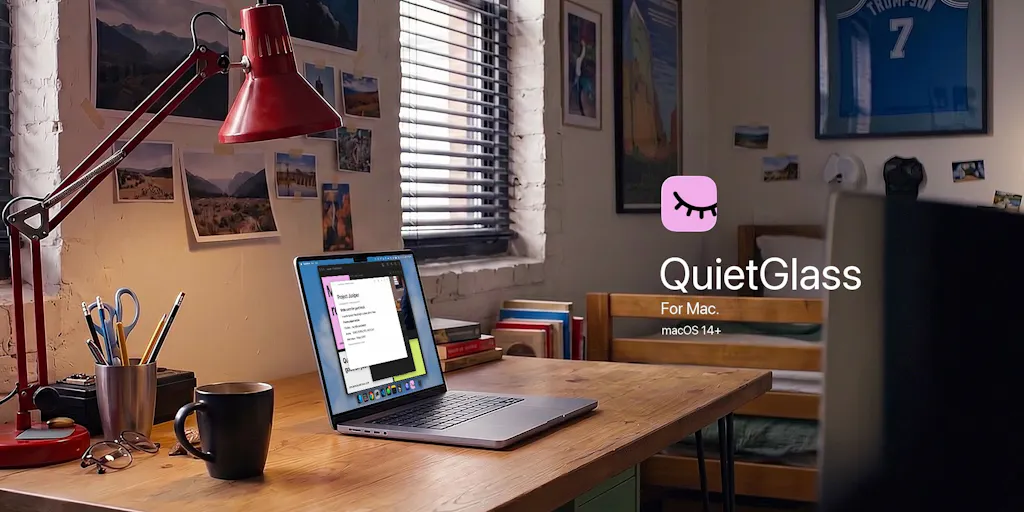
Cross-border operators spend most of their attention on the customer-facing funnel: ad creative, listing copy, review velocity, checkout conversion. But the highest-leverage risk in a modern e-commerce business is usually internal — a supplier contract visible on a shared screen during a video call, a margin spreadsheet open in a co-working space, a pricing strategy exposed to whoever walks past your laptop. QuietGlass, a free open-source macOS menu bar app from maker Clinton Imaro, is a small, opinionated answer to that problem: it frosts your screen when you look away with compatible AirPods in, clears it when you look back, and separately warns or blurs when a second face enters your camera’s view. That’s not a growth tool. It’s a leak-prevention tool — and for anyone running a lean DTC or FBA operation from a laptop, leak prevention is now part of the stack.
What QuietGlass Actually Does — and What It Doesn’t
Strip away the launch-page polish and the product has three distinct mechanisms, each solving a different failure mode:
Look-away blur. With compatible AirPods on, QuietGlass detects when you turn your head away from the screen and frosts the display. Look back, and the blur clears. This is the headline feature and the one most people will install it for. It’s a hardware-assisted attention signal — the AirPods provide motion/orientation data, the Mac does the rest.
Nearby-people detection. Using your Mac’s camera — no AirPods required — the app spots another face in view and either warns you or blurs the screen. This is the feature that actually matters in shared spaces, and it’s also the one with the most obvious failure modes. More on that below.
Targeted protection. You can protect a single window or a selected area, blur detected sensitive text, and keep your active window clear via a “Focus mode.” There’s also an optional “Recognize me” check that verifies your saved face before clearing camera-based protection.
The technical framing matters here. QuietGlass is native Swift, with quick controls sitting beside the notch. Screen content and camera frames are processed locally on your Mac — no photos or video are saved or uploaded. It’s free and open-source, runs on macOS 14+ on both Apple silicon and Intel, and the current download ships with first-launch instructions because it isn’t Apple-notarized yet. That last detail is not cosmetic: it’s the single biggest friction point for a non-technical operator, and I’ll come back to it.
How It Compares to What You’re Probably Already Using
Most cross-border sellers I know handle screen privacy in one of four ways, and none of them are great:
- Nothing. Close the laptop when someone walks by. Works until it doesn’t.
- A privacy screen filter. Physical, cheap, effective against shoulder-surfing, useless against a camera or a screen share.
- OS-level lock shortcuts. Fast, but manual — and the whole problem is that you forget.
- Enterprise DLP tools from the likes of Microsoft Purview or Google Workspace DLP. These are built for compliance teams, not for a three-person Amazon brand, and they cost accordingly.
QuietGlass sits in a gap none of those fill: automatic, local, zero-cost, and aimed at the individual operator rather than the IT department. The closest consumer analogue is macOS’s own Screen Time and Focus modes, but those govern notifications and app access, not visual exposure. There’s also a category of webcam-privacy utilities — Oversight from Objective-See is the one I’ve used — but those are about mic and camera access, not about what’s on your screen when someone else is in the room.
Where QuietGlass genuinely differs is the combination: hardware-assisted attention detection (AirPods) plus camera-based presence detection plus per-window targeting, all running on-device. I haven’t seen another free tool that stitches those three together.
Why Amazon sellers should care more than Shopify ones
Here’s a pattern I’ve watched repeat across dozens of operators. A Shopify DTC brand owner typically works from a home office or a small studio, often alone, and their sensitive data is mostly marketing spend and customer lists — bad to leak, but rarely catastrophic in the moment.
An Amazon FBA seller or aggregator account manager is a different animal. Their screen routinely holds:
- Supplier quotes and MOQs from Alibaba or direct factory contacts
- Amazon Seller Central dashboards showing exact revenue, ACOS, and inventory positions
- PPC bid strategies that a competitor could replicate in an afternoon
- Wholesale invoices and 3PL contracts
In a WeWork, a coffee shop, an airport lounge, or a co-working space in Shenzhen or Istanbul, that’s not a hypothetical risk. I’ve personally watched a seller’s entire Q4 launch plan sit visible on a screen for twenty minutes while they took a call. QuietGlass’s look-away blur is a direct counter to that specific scenario — and it’s the reason I think this tool has more value to the Amazon/FBA crowd than to the typical indie Shopify hacker.
Where the math breaks
The Nearby-people feature is the one I’d stress-test before trusting. As Product Hunt commenter Gal Dayan pointed out, the real question is whether the app distinguishes a face oriented toward the screen from a face merely in frame. In a crowded café or an open office, the camera will see multiple faces constantly — a barista, someone at the next table, a colleague walking past. If the logic is raw “second face detected,” you’ll get false positives all day, and a tool that blurs your screen every thirty seconds is a tool you’ll uninstall by lunch.
The maker’s own framing suggests orientation-awareness is intended, but the launch page doesn’t specify the detection threshold, the confidence cutoff, or how “Recognize me” interacts with a partially occluded face. Those are the details that separate a demo from something you’d leave running. Until I test it myself, I’d treat Nearby-people as a promising beta, not a solved problem.
What Cross-Border Operators Should Borrow From This
Even if you never install QuietGlass, there are three transferable lessons in how it’s built and positioned:
1. Local processing is a feature, not a technicality. QuietGlass processes screen content and camera frames entirely on-device and saves or uploads nothing. For a cross-border seller, that’s the same principle you should apply when evaluating any AI tool that touches customer data, supplier contracts, or ad account credentials. If a tool wants to upload your data to a server to do its job, ask what the server retains. The GDPR and CCPA compliance burden on a small brand is real, and the cheapest way to stay compliant is to keep sensitive data local.
2. Free and open-source is a legitimate procurement category. Most sellers I know default to paid SaaS for everything — Helium 10, Jungle Scout, Klaviyo, Gorgias — and that’s usually right. But there’s a growing tier of open-source utilities that solve narrow problems for zero cost, and QuietGlass is a good example. The tradeoff is that you’re on your own for support, and sometimes for security review.
3. The “not notarized yet” problem is a cross-border problem. QuietGlass ships with first-launch instructions because it isn’t Apple-notarized. For a US-based seller, that’s a mild annoyance. For a seller operating across multiple jurisdictions, or one whose team is distributed across regions with different macOS security policies, it can be a blocker. This is the same friction that hits cross-border sellers constantly: Stripe availability varies by country, Shopify Payments isn’t universal, TikTok Shop seller onboarding differs by market. The lesson is to always check the distribution and compliance layer before you standardize a tool across a team.
A note on where this fits in your tooling stack
I think about a seller’s stack in four layers: acquisition (ads, SEO, marketplace listings), conversion (storefront, checkout, CRO), operations (inventory, fulfillment, customer service), and infrastructure (security, privacy, device management). Most operators spend 90% of their tooling budget on the first three and treat the fourth as an afterthought. QuietGlass is a reminder that infrastructure tools are cheap, often free, and disproportionately valuable when something goes wrong. A leaked supplier contract or a competitor screenshotting your Seller Central dashboard can cost more than a year of ad spend.
Where My Judgment Says It Falls Short
I’ll be direct about the limitations, because the launch page is understandably promotional:
The AirPods dependency is a real constraint. The look-away blur requires compatible AirPods. If you use over-ear headphones, wired earbuds, or nothing at all, the flagship feature is unavailable. That’s a meaningful slice of the operator population, especially anyone who works in a noisy warehouse or 3PL environment where AirPods aren’t practical.
No Windows or Linux. macOS 14+ only. Cross-border teams are frequently mixed-OS, and a privacy tool that only covers half your devices is a half-solution. If your ops manager runs Windows, you’re back to manual discipline for them.
The notarization gap. Not being Apple-notarized yet means every install requires bypassing Gatekeeper, and every macOS update risks breaking the app or triggering new warnings. For a solo operator, fine. For a team of ten, it’s an IT ticket every time someone gets a new laptop.
No disclosed detection thresholds. As I noted above, the launch page doesn’t say how Nearby-people distinguishes a face looking at the screen from a face merely present. Until that’s clarified, I can’t recommend it for open-office use.
No enterprise controls. No MDM deployment, no centralized policy, no audit log. This is a personal tool, not a team tool — and that’s fine, but it means it won’t solve privacy for a distributed team on its own.
What I’d Watch / Test Next
If you’re an operator reading this, here’s what I’d actually do this week:
- Install QuietGlass on your primary work laptop and run it for three days with only the look-away blur enabled. Note how often it misfires and whether the AirPods dependency is a dealbreaker for your workflow. The download is at the QuietGlass Product Hunt page.
- Test Nearby-people in your actual work environment — not a quiet room, but the café or co-working space you really use. Count false positives. If it’s more than one per hour, don’t leave it on.
- Audit your existing screen-privacy habits and write down the three scenarios where a leak would actually hurt: supplier negotiation, Seller Central review, ad account access. Then decide whether a tool like this or a simple discipline change (lock shortcut, privacy filter) is the better fix.
- Watch for a notarized build. Once QuietGlass clears Apple notarization, the install friction disappears and it becomes viable for team deployment. That’s the version worth standardizing on.
- Apply the local-processing principle to your other tools. Pull up the privacy policy of your top three SaaS subscriptions and check whether they upload data you’d rather keep on-device. You’ll probably find at least one surprise.
The broader takeaway: cross-border e-commerce has become an operations game, and operations now includes the physical and digital privacy of the person running the business. QuietGlass is a small, free, imperfect entry in that category. But the category itself is one every serious seller should be paying attention to — because the cheapest risk to mitigate is the one you can see coming.


