Why Milestones Matters for a Cross-Border Seller (Even Though It’s Not Built for Us)
Every cross-border operator I know—whether they’re running a five-SKU Amazon brand or a 200-variant Shopify store—juggles the same dirty secret: task fragmentation. Amazon Seller Central wants one calendar, TikTok Shop another, your prep center a third, and your VA in Manila works off a spreadsheet that your macOS Notes app can’t even open. We pay for Notion, Asana, ClickUp, and Linear, yet none of them talk to each other the way a one-person indie maker’s brain works. That’s why a tiny, Apple-native project management app called Milestones caught my eye this week. Not because it replaces Notion—it doesn’t. Not because it has a fancy Gantt chart—it doesn’t. But because its newest feature, a built-in MCP server that lets an AI agent create, update, and query tasks directly, points to a workflow pattern that every seller running lean should steal. The app itself is still too narrow for a five-person warehouse team. The pattern, however, is exactly what our tooling stacks are missing: a lightweight, conflict-smart, privacy-first way to let agents do the planning grunt work while humans stay in the driver’s seat. Let me unpack why that matters more than you think.
What Problem Milestones Actually Solves for Cross-Border Operators
On the surface, Milestones is just another planning app—think a simpler, smarter Apple Reminders, as one commenter called it. The maker, Yassine Zeriouh, built it for “indie makers and solo projects.” That is not us. But the problem it solves is universal in e-commerce: the friction between planning and executing across multiple platforms. Every seller I know has a “launch checklist”—product research done, samples approved, listing optimized, PPC ads set, FBA inbound shipped, supplier payment confirmed. That list lives in a Google Doc, a Trello board, or inside the head of a VA who might drop it when they take a holiday. The moment you involve an AI agent—whether Claude, ChatGPT, or a custom bot—the list becomes even messier because the agent can’t easily write to your planning tool without an API key, a webhook, or a hacky Zapier loop.
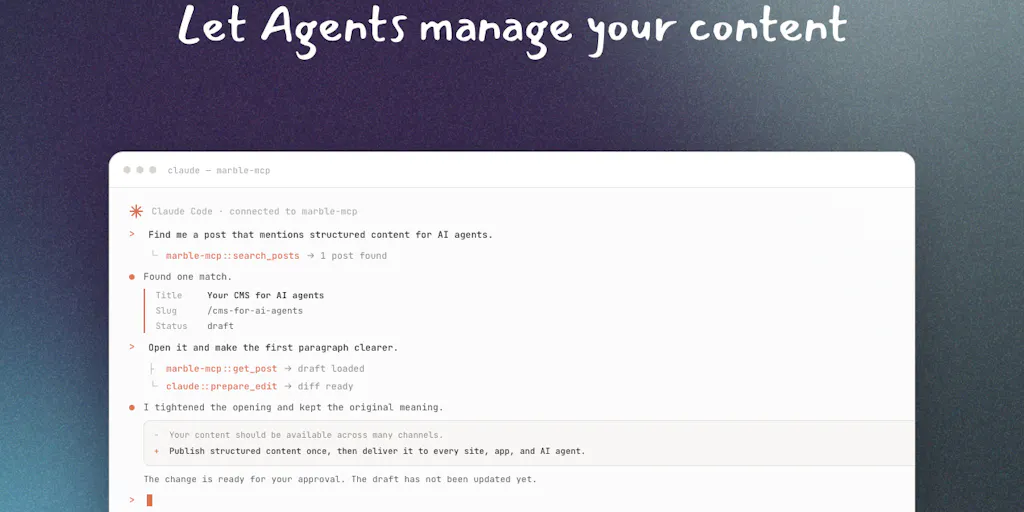
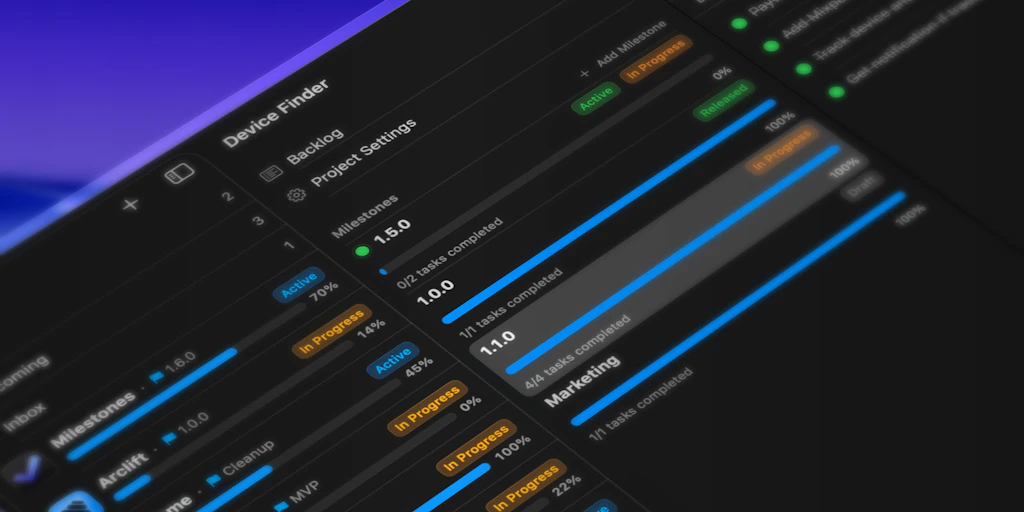
Milestones solves that with an MCP server baked into its macOS app. MCP (Model Context Protocol) is a standard that lets AI tools like Claude Code talk to your planning app directly, reading and writing projects, milestones, and tasks. As the maker explained in a comment, the MCP server exposes “pretty much all actions you can do manually”—project creation, milestone editing, task creation. He even let Claude Code plan entire projects start to finish. For a cross-border seller, imagine: you feed your product launch requirements into an AI, and it auto-generates a milestone-based timeline with tasks, deadlines, and dependencies. That timeline then lands in your Mac app instantly, without you having to cut-and-paste or toggle browser tabs. The agent becomes a real assistant, not a chat window you have to copy from.
The second problem it tackles is sync discipline. The app uses iCloud as its sync layer, so your iPhone, iPad, and Mac all see the same data without a third-party server. For a seller on the go—inspecting samples in Yiwu, checking inventory at the prep center, reviewing ad dashboards at 2 AM—that offline-first approach means you don’t lose context. The maker called it a “clean privacy-first choice” in response to a question. When your planning data contains product costs, supplier names, and margin targets, you probably don’t want it on a random cloud server anyway.
How Milestones Differs from Existing Options (and What We Can Steal)
The e-commerce tooling world is stuffed with project management solutions, but they all share a blind spot: they assume your team is big enough to justify their complexity, or they assume you don’t need deep agent integration. Let’s compare.
Notion is the go-to for many sellers. It’s flexible, has a database, and can embed Kanban boards. But its AI features are mostly for writing and summarising, not for task orchestration. You can’t let a GPT agent create a new task in a Notion database without a third-party bridge. The MCP server in Milestones is a direct, native pipe—no middleman. Linear](https://linear.app/) is loved by engineers but has zero seller-specific templates for “FBA prep checklist” or “PPC campaign launch.” Its API is powerful but not agent-native. Todoist](https://todoist.com/) is fast and cross-platform, but its collaboration features are basic, and it has no MCP support. Asana](https://asana.com/) is overkill for a solo seller or a two-person team—you end up paying for features you never use.
What sets Milestones apart is the combination of agent-native architecture and simplicity. The MCP server means your AI tools aren’t just chatbots; they become task-execution engines. A seller who uses Claude Code to analyse product research data can have Claude automatically create a milestone called “Supplier Qualification” with sub-tasks: request sample, test fit, negotiate MOQ, place trial order. No manual entry. No Zapier credits spent. The iCloud sync ensures that when you’re offline in a warehouse, you can still check off tasks and they’ll sync when you reconnect. That’s a lightweight, no-SaaS-overhead pattern.
The other differentiator is conflict resolution. In a thread, the maker described a “last-write-wins” strategy for conflicting updates, but with an intelligence: if the AI updates a task status while a human edits the description of the same task, both changes merge. That’s smarter than most sync systems. For a seller who sometimes marks tasks as done via an AI agent and sometimes manually, this prevents the “who moved my cheese?” panic.
What Cross-Border Sellers Can Borrow from Milestones This Week
You don’t have to download the macOS app to learn from Milestones. The strategic takeaway is how to build your own agent-driven task pipeline, even if you never use this tool. Here’s what I’d test:
Adopt the MCP pattern for your own stack. If you’re a Shopify seller, look at how your store’s API could feed task lists into a planning tool. For example, a new order over a certain threshold could auto-create a “reorder inventory” task. Milestones shows that a standard protocol (MCP) can make this drop-in easy. Even if you stay on Notion, ask yourself: “Can I let my AI agent write to it directly?” If not, that’s a gap worth filling.
Use iCloud sync as a privacy benchmark. Most e-commerce task data is sensitive. If your current tool requires you to trust a cloud provider you haven’t vetted, consider whether an Apple-native, end-to-end encrypted sync (even if not perfect) is a better default. For a solo seller, the security-to-convenience ratio of iCloud may beat Scribd or a random SaaS server.
Embrace the “last-write-wins plus merge” mental model. When an AI agent and a human both touch the same task list, panic sets in. Milestones handles it transparently. You can replicate that discipline in your own workflows: designate which tasks are agent-owned and which are human-owned. Don’t both edit the same field at the same time.
Let an agent plan an entire milestone. This is the biggest time-saver. The maker demonstrated letting Claude Code plan entire projects into the app. For a product launch, you can feed your research notes (competitor prices, shipping timelines, ad budget) into an AI prompt and ask it to output a structured milestone list. Then pipe that list into any tool that accepts structured data. Even if you have to manually paste it the first time, the mental model shift—from “I write the plan” to “I review the plan written by an agent”—saves hours per launch.
Why Amazon Sellers Should Care More Than Shopify Ones
Amazon sellers operate on tighter margins and tighter timelines. A single ASIN launch often involves six to ten distinct milestones: listing copy, keyword research, PPC setup, FBA inbound creation, coupon strategy, review solicitation, pricing test, and rank monitoring. Most Amazon sellers I know do this with a mix of Seller Central bookmarks, a Helium10 or Jungle Scout dashboard, and a half-broken Trello board. The MCP pattern is especially relevant here because Amazon doesn’t have a native project management view. You have to create your own. An agent that can ingest your product research from Helium10, cross-reference it with Amazon Seller Central lead times, and spit out a milestone list with deadlines—that’s the kind of time machine a seven-figure operator says they wish they had.
Shopify sellers, by contrast, often have more tooling available—Shopify Flow automations, third-party order management systems, and bigger teams that can justify a full-throttle tool like Monday.com. The agent integration is still useful, but the pain of task fragmentation is milder because Shopify’s ecosystem is more connected.
Where the Math Breaks
I won’t pretend Milestones is ready for a cross-border seller’s daily ops. Here’s where the cracks show.
Apple-only. The maker confirmed in a comment that there’s no web, Android, or Windows version—only Mac, iPad, and iPhone. If you run a team with a VA in the Philippines who uses a Windows laptop, or you hire a freelance graphic designer who’s on Android, they can’t even see your milestone list. That kills collaboration. For a solo seller who lives entirely in Apple ecosystem, it’s fine. For anyone with a distributed team, it’s a non-starter.
No team permissions or roles. The app is built for “indie makers and solo projects.” There’s no mention of multi-user features, permission levels, or shared workspaces. If you need your VA to see only the “fulfillment” milestones while you manage strategy, Milestones can’t do that. You’d need to duplicate boards or trust everyone with full edit access—dangerous.
No e-commerce integrations. The app has no built-in connection to Shopify, Amazon, TikTok Shop, or any logistics tool. The MCP server is powerful, but it requires you to manually expose agent actions. For most sellers, the faster path to productivity is a tool like Klaviyo or ShipStation that already connects where they work. Adding a planning app that doesn’t talk to your order management system feels like another copy-paste chore.
Last-write-wins may not scale. The conflict resolution is smart, but as a commenter pointed out, if an agent goes wild and dumps 40 tasks or reshuffles everything, undoing it is manual. No version history, no rollback. In a fast-moving launch week, one bad agent prompt could rewrite your whole plan. You’d be cleaning up by hand.
What I’d Watch / Test Next
If you’re a solo Amazon seller or a Shopify one-person shop who lives on Mac and iPhone, I’d download Milestones and run a one-week experiment:
- Set up a single launch milestone with five tasks.
- Use an AI tool (I’d try Claude Code, but even ChatGPT with the right prompt can export structured lists) to generate a task plan for your next product launch.
- Manually paste that plan into Milestones—or, if you’re technical, play with the MCP server to push it in automatically.
- Use the app for a week. See how it feels to have your tasks on your Mac, iPhone, and iPad without any cloud lag. See if the simplicity reduces friction or creates more because you can’t share it with your prep center.
Then, in the same week, ask yourself: What would I need to replace this with if my team grows? If the answer is “web access and team permissions,” keep Milestones for personal planning but look at Linear or Notion. If the answer is “agent integration that works anywhere,” wait for the maker to add a web app—it’s not on the roadmap yet.
What I’m watching: whether MCP becomes as standard as REST APIs for planning tools. If it does, the gap between “thought” and “task” shrinks dramatically. That’s the real takeaway from this tiny, indie launch.