The Multi-Monitor Tax Every Operator Pays (And Why a $5.99 Mac Utility Made Me Rethink My Tooling Budget)
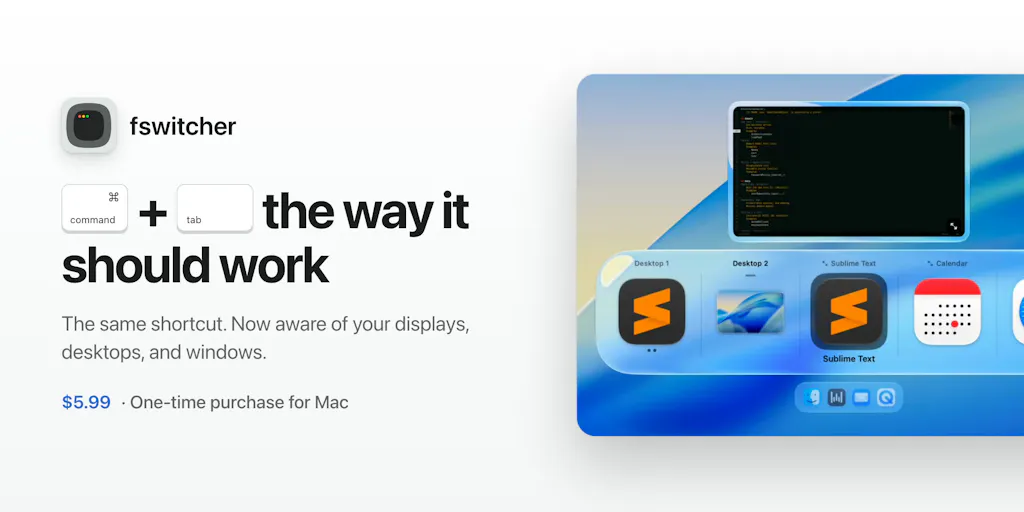
Most cross-border operators I know run their business across at least two displays — Amazon Seller Central on one, Shopify admin and a Klaviyo dashboard on the other, TikTok Shop orders and a freight forwarder’s portal fighting for space somewhere in between. The dirty secret of that setup is that macOS’s native app switcher, the humble cmd+tab, was never designed for it. It throws you to the wrong display, lands on the wrong window, and quietly bleeds minutes out of every hour. fswitcher, a small macOS utility launched by indie developer Fernando Cervantes under the formalabs handle, is a $5.99 one-time fix for exactly that. It’s not an e-commerce tool. But the way it was built, priced, and positioned says more about where operator tooling is heading than half the “AI-powered” SaaS launches I scroll past each week.
What fswitcher Actually Fixes (And Why It’s an Operator Problem, Not a Mac Nerd Problem)
Strip away the keyboard-shortcut framing and fswitcher is solving a context-switching problem. Cervantes lists his complaints with the native switcher plainly: it opens on the wrong display, it takes you to the wrong screen or window, some apps don’t open when selected, too many apps clutter the switcher, and there’s no way to control which display it targets. If you’ve ever cmd+tabbed from a Shopify order screen expecting your Amazon Seller Central tab and landed on a Slack window on the other monitor instead, you already understand the pain.
For a cross-border seller, that’s not a cosmetic annoyance — it’s operational friction. Order management, ad spend monitoring, supplier comms, and customer service tickets typically live in four different browser profiles across two screens. Every misdirected cmd+tab is a two-to-five second tax, and a seller processing 200 orders a day across Amazon FBA and Shopify pays that tax hundreds of times. The math is brutal in aggregate: even 150 misfires a day at four seconds each is ten minutes of pure waste, every single day, before you count the cognitive reload cost of re-orienting to the wrong window.
What makes the product interesting isn’t the feature list — it’s the design philosophy Cervantes states explicitly in the thread. He wanted to “stay close to the native one, while fixing these issues.” That’s it. No new mental model, no onboarding flow, no dashboard. The switcher appears on the active display, and you can push it to another display with the fn key when the switcher is open. That’s the entire interaction delta.
Why Amazon sellers should care more than Shopify ones
Shopify-only operators tend to live in one browser tab and one admin. Amazon sellers — especially FBA brand owners running multiple marketplaces — juggle Seller Central, Helium 10, Amazon Ads console, a repricer, and often a separate returns/disputes workflow. That’s five or six windows that all look like “Amazon” at a glance, and the native switcher’s thumbnail previews are too small to distinguish them. A switcher that respects per-display context isn’t a luxury for that operator; it’s closer to a working condition.
The Subscription Fatigue Signal — and What It Means for Your Own Pricing
The most-upvoted sentiment in the launch thread isn’t about displays at all. Commenter jacopo giudici praised the “one-time purchase instead of another subscription,” and Cervantes’s reply is the line every DTC operator should tattoo somewhere: “subscriptions are everywhere nowadays, I figured if you make a great product, people won’t mind a one-time fee.”
That’s a $5.99 price point against a category — Mac window managers like Rectangle (free, open source) and Magnet (one-time, App Store) — where the norm is either free or a small one-time fee. Cervantes is competing on trust economics, not feature depth. He’s betting that a seller drowning in $29/month SaaS line items will happily pay $5.99 once for something that just works.
I think he’s right, and I think it’s a warning shot for the tooling vendors selling into this audience. Cross-border operators are running ten to twenty subscriptions each — Klaviyo, Helium 10, a repricer, a review tool, a returns app, a PIM, a freight visibility platform. The marginal $19/month tool is the first thing cut when Q4 margins tighten. A one-time fee removes the renewal decision entirely. If you’re building or buying tooling this year, ask yourself: does this need to be a subscription, or is that just the default because everyone else does it?
Where the math breaks
One-time pricing has an obvious failure mode: it caps the developer’s incentive to keep shipping. Cervantes is a solo indie dev with sixteen years of iOS experience — he can sustain a $5.99 tool as a side project, but a venture-backed company can’t. So the lesson for operators isn’t “demand one-time pricing from your SaaS vendors” — it’s “recognize which tools are commodity utilities and price-anchor accordingly.” A window switcher is a utility. Your ERP is not. Treat them differently in your stack audit.
What Cross-Border Sellers Can Borrow From This Launch
Three transferable lessons, in order of how quickly you can act on them.
One: fix the friction you’ve normalized. Cervantes spent years annoyed by cmd+tab before building a fix. Every operator has a version of this — the manual CSV export you re-do every morning, the supplier spreadsheet you reconcile by hand, the tracking-number paste job between your 3PL portal and Shopify. The fswitcher launch is a reminder that the highest-ROI automation isn’t always the flashiest AI tool; sometimes it’s the boring thing you’ve stopped noticing. Run a “friction audit” this week: for one day, note every task that takes under two minutes but happens more than ten times. That list is your automation backlog, and it’s probably worth more than whatever the latest Product Hunt AI wrapper is selling.
Two: stay close to the native behavior. Cervantes explicitly rejected rebuilding the interaction model. He kept the cmd+tab muscle memory and fixed only the broken parts. Operators building internal tools or configuring third-party ones should apply the same rule: don’t retrain your team on a new workflow when you can patch the existing one. When you evaluate a new Shopify app or Amazon Seller Central integration, ask whether it augments the workflow your team already knows or forces a migration. The former gets adopted; the latter gets abandoned in three weeks.
Three: price for trust, not for extraction. The one-time $5.99 is a signal of confidence. It says “I believe this is good enough that you’ll buy it without a trial-to-paid funnel.” That’s a positioning move your own brand can borrow — whether you’re selling physical product or a service, a clean, no-strings pricing structure builds more goodwill than a clever tiered subscription. DTC brands have mostly learned this; B2B tooling vendors selling to them have not.
The multi-display detail that matters more than it sounds
Commenter Thomas Bee asked whether fswitcher remembers which display each app was last on — the exact complaint Cervantes led with. The answer is yes, the switcher shows on the active display and fn moves it. Guilherme Michels then asked about full-screen apps and Spaces, and Cervantes confirmed it handles “multiple apps, windows, and full-screened instances across different desktops and multiple displays” without sliding the other display around. That last detail — per-display switching that doesn’t disturb the other monitor — is the actual engineering achievement here, and it’s the kind of nuance that separates a real fix from a reskin. If you’re evaluating any tool that touches a multi-window workflow, test that specific behavior: does it respect per-context state, or does it force a global reset? The latter will drive your team crazy within a week.
Where My Judgment Says It Falls Short
I’m not going to pretend a $5.99 Mac utility is a strategic priority for a cross-border seller. It isn’t. Here’s where I’d push back on the launch framing.
It’s Mac-only, and the audience that needs it most is Windows-heavy. A large share of Amazon FBA brand owners and 3PL operators run Windows desktops, especially in warehouse and ops-center environments. Cervantes built for his own platform (sixteen years of iOS work), which is fair, but the cross-border operator reading this should note the gap: there’s no Windows equivalent in this launch, and the native Windows alt+tab has its own multi-monitor quirks. Not disclosed whether a Windows version is planned.
The “too many apps cluttering the switcher” fix is underspecified. Cervantes lists it as a qualm but doesn’t detail how fswitcher solves it — is it hiding apps, grouping them, or something else? The thread doesn’t say. That’s a real gap for operators running twenty-plus windows, which is most of us.
The keyboard-dependency is a hidden constraint. Commenter Michael Brusegard noted “too bad I don’t have a regular keyboard anymore,” and Cervantes responded that he’s “working on adding support for hot corners and potentially custom key binds.” Until those ship, the tool assumes a standard keyboard — fine for desk operators, less so for anyone on a compact or split setup. Not disclosed whether hot corners are live or still in development.
And the honest caveat: a window switcher doesn’t move revenue. It saves minutes. If your fulfillment is broken or your ad spend is bleeding, fswitcher won’t fix it. Buy it because it removes a daily annoyance, not because it’s a growth lever. The risk with any $5.99 tool is the same as with any cheap SaaS: you accumulate ten of them, each solving a small annoyance, and suddenly you’ve rebuilt the subscription stack you were trying to escape — just in one-time fees instead of monthly ones.
Why the launch thread itself is the real product lesson
Read the comment section closely and you’ll see Cervantes doing something most tooling vendors botch: he’s answering every question with a specific, non-defensive reply, and he’s using the thread as a roadmap. He asks JC back “what other things get in your way?” and tells Michael he’s building hot corners. That’s a solo dev running a live discovery loop in public. For an operator, the takeaway is less about the product and more about the posture — the tools worth adopting are the ones whose builders are still in the comments, still asking, still shipping. A product with a responsive solo dev behind it often beats a polished tool with a support ticket queue.
What I’d Watch / Test Next
This week, before you buy anything, do two things.
First, run the friction audit I described above — one day, one list, every sub-two-minute task that happens more than ten times. You’ll likely find that the highest-leverage fix isn’t a new app at all; it’s a browser profile setup, a saved Seller Central view, or a Shopify Flow automation you’ve been meaning to build. Do that before you spend a dollar on tooling.
Second, if you’re a Mac operator running two or more displays and you’ve genuinely normalized the cmd+tab misfire, fswitcher is a low-risk test at $5.99 one-time — no subscription, no trial funnel, no vendor lock-in. Install it, run it for a week alongside your normal workflow, and measure whether the misfires actually drop. If they don’t, you’ve lost the price of a coffee. If they do, you’ve bought back ten minutes a day and learned something about how much friction you’d been tolerating.
And watch the one-time-pricing experiment. If fswitcher sustains and ships updates, it’s a small proof point that the subscription default isn’t inevitable — and that’s a signal worth carrying into every tooling negotiation you have this quarter.