The Browser Is the Last Mile Your AI Stack Can’t Cross — Until Now
Every cross-border operator I know has hit the same wall. You’ve got an AI agent that can draft a listing, optimize a PPC campaign, or reply to a return request. But the moment it needs to check a competitor’s live pricing on Amazon, verify a supplier’s shipping terms on a portal that requires login, or cross-reference a TikTok Shop trend against your own inventory — it stalls. The agent is locked out of the authenticated, interactive web that is your actual daily workspace. This isn’t a tooling gap; it’s a trust and access gap. The products that solve this — giving AI a controlled, logged-in browser session — are the ones that will separate the operators who scale from the ones who burn out. That’s why the launch of Click matters to you, even if you’ve never heard of it. It’s not another chatbot. It’s a connector layer for the last mile of e-commerce automation.
The Problem: Your Agents Are Blind Behind the Login Wall
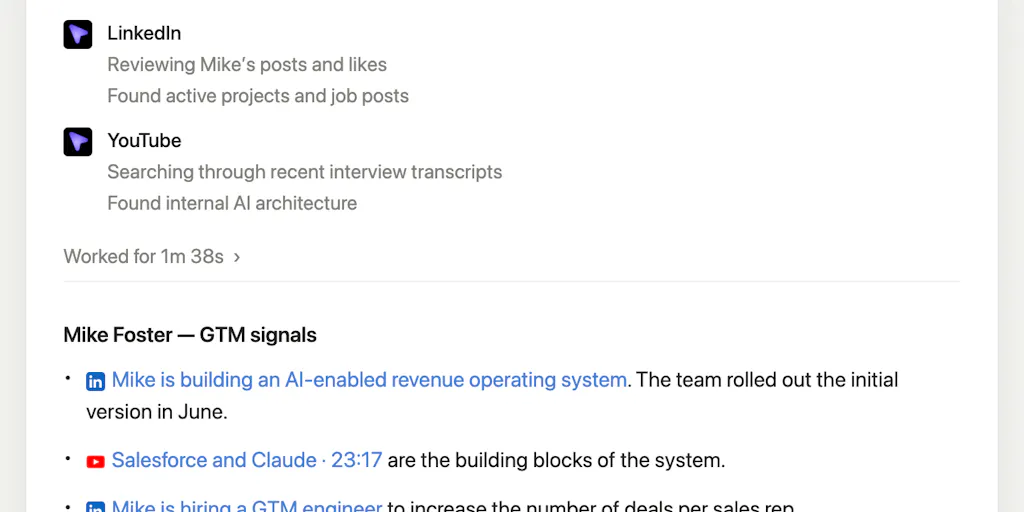
Let’s be precise about the bottleneck. Tools like Claude and OpenAI’s Codex are brilliant at reasoning, drafting, and coding. But their built-in web search is a read-only, anonymized window. It cannot see the data behind your supplier portal, your Amazon Seller Central dashboard, or your ad manager’s logged-in session. The maker of Click, Aditya Asgaonkar, puts his finger on it in the launch post: he lives inside Codex and Claude, but gets “annoyed to have to leave” when he needs to do external tasks like researching leads on LinkedIn or comparing flights. His agents can’t do these tasks because their “gateway to the world (in-built web search) has limited access,” and they often ask to use a browser with a logged-in session, which he’s “uncomfortable with.”
That discomfort is your daily reality. You don’t want to hand your master password or session cookies to a third-party AI. But you also can’t afford to keep copy-pasting data from a browser tab into a chat window. For a cross-border seller, this is the difference between an agent that can suggest a repricing strategy and one that can execute it by checking 50 competitor listings in real time. The problem isn’t AI intelligence; it’s AI agency. Without a safe, logged-in browser, your agent is a brilliant advisor who can’t leave the office.
What Click Actually Does — and Why It’s Different from the Incumbents
Click is described as a connector layer that lets your AI assistant “give your AI assistant a cursor.” The vision, per the maker, is to “provide useful [tools] that meet users right inside the chat,” building out “one trusted service at a time, starting with research.” The core idea is simple: instead of asking the agent to use a browser it can’t control, you give it a controlled browser session inside the chat interface.
How It Compares to What You’re Already Using
This is where the comparison gets interesting. You’ve likely tried a few approaches:
- Browser automation tools like Puppeteer or Playwright — these are powerful but require engineering resources. You write scripts, handle selectors, and manage sessions. It’s a dev project, not an ops tool.
- RPA platforms like UiPath — enterprise-grade, heavy, and overkill for a 5-person DTC team.
- Custom API integrations via Zapier or Make — these work for structured data but fall apart when the task requires judgment, like “find the best shipping rate for a 2kg parcel to Germany and book it.”
- Native AI browsing features — some agents now claim to browse, but they often hit CAPTCHAs, lack session persistence, or refuse to handle authenticated pages.
Click’s approach is different because it starts from the user’s safety concern. Instead of asking for your session, it wants to be a layer that meets you in the chat. That’s a UX shift. It’s not “go use this browser”; it’s “I’ll bring the browser to you.” For a seller, this means you could ask, “Check my top 3 competitors on Amazon for ASIN B0XXXX and tell me if my price is still competitive,” and the agent would open a real, logged-in session, navigate, extract the data, and come back with an answer — all without you leaving the chat.
The “Trusted Service” Angle
The maker’s emphasis on building “one trusted service at a time” is a deliberate counter to the chaos of the current AI tooling landscape. Most products try to do everything. Click is starting with research — lead gen, competitive analysis, flight comparisons. That’s smart because research is the highest-frequency, lowest-risk task you can delegate. It’s also where the pain is worst: your agents can’t see the data that lives behind LinkedIn’s login wall or Google Flights’ dynamic interface. If Click can crack that, it proves the architecture works before expanding into more sensitive territory like transactions or order management.
Why Amazon Sellers Should Care More Than Shopify Ones
Here’s a judgment call: the Amazon seller has more to gain from this than the Shopify DTC operator. Why? Because the Shopify ecosystem is already well-integrated. Your store data, customer info, and order history are accessible via clean APIs. Tools like Klaviyo and Triple Whale have built their entire business on pulling that data out. The problem is solved.
Amazon is a walled garden with a notoriously hostile API. Seller Central is a UI-first platform. The data you need — Buy Box percentage, suppressed listings, competitor pricing, search rank — is often only visible in the UI, not via API. Helium 10 and Jungle Scout have spent years scraping and aggregating this data, but they’re still limited by what they can access. If Click can give your AI agent a real, logged-in Seller Central session, you could automate the tedious weekly ritual of checking your listings, reviewing your account health dashboard, and cross-referencing your inventory against your FBA inbound plan. That’s not a nice-to-have; that’s hours of admin time saved every week.
Where the Math Breaks: The Session Security Question
The elephant in the room is security. The maker says he’s “uncomfortable” with agents using logged-in sessions — and he’s right to be. But Click’s solution is to be a connector layer, not a session thief. The question is how it handles the credentials. If it stores your session cookies, that’s a liability. If it uses a secure token exchange or a local browser instance, that’s better. The source doesn’t disclose the technical architecture, so we’re left to infer. My advice: do not plug this into your Seller Central account until you understand exactly how sessions are stored, encrypted, and revoked. The convenience of automation is not worth the risk of a compromised account.
What Cross-Border Sellers Can Borrow from This — Even Without the Product
You don’t have to wait for Click to mature to start applying its philosophy. The core insight — that your AI agents need a controlled browser, not just an API — is something you can implement today.
Build Your Own “Click” with Local Tools
If you have a developer on your team, you can approximate this with Playwright and a local browser profile. Set up a dedicated machine or VM that holds your logged-in sessions for the sites you use daily — Amazon Seller Central, your supplier’s portal, TikTok Shop dashboard. Write scripts that let your AI agent (via an API call) trigger these sessions and return structured data. This is more work, but it keeps your credentials on your own infrastructure. It’s the DIY version of Click’s promise.
Rethink Your Research Workflow
Start with the same use case Click is targeting: research. Pick one task that takes you 30 minutes a day — checking competitor prices, reading supplier reviews, scanning new product trends on Etsy or eBay. For each task, ask: “What data do I need, and where does it live?” If the answer is “behind a login,” that’s a candidate for a controlled browser session. If it’s public data, you can probably use a simple scraper or an API.
Audit Your Current AI Tooling for “Browser Blindness”
Take a hard look at the AI tools you already pay for. Do they claim to browse? What can they actually see? Most cannot handle multi-step, authenticated workflows. If you’re paying for a tool that promises “agentic browsing” but still asks you to paste data manually, that’s a red flag. The market is moving toward this connector-layer model, and your current stack might be obsolete sooner than you think.
Where My Judgment Says It Falls Short — The Reality Check
I’m bullish on the concept, but Click is a launch, not a finished product. Here’s where I’d pump the brakes.
The “One Trusted Service at a Time” Pace Is a Double-Edged Sword
Starting with research is smart, but it’s also the easiest use case. The real value for e-commerce operators is in the harder, riskier tasks: order management, repricing, customer service replies that require account access. If Click moves too slowly into those areas, it risks being a nice demo that never becomes an essential tool. The maker’s vision is clear, but the roadmap is not disclosed. I’d want to see a public roadmap or at least a clear statement on what’s next.
The Browser Is a Moving Target
Building a connector layer for the web is a game of whack-a-mole. Every time Amazon or LinkedIn changes their DOM, Click has to update its browser logic. This is the same problem that killed many early RPA tools. The maintenance burden is enormous. Unless Click has a robust system for handling website updates — or unless it’s using a stable browser engine like Chromium with smart selectors — it could break frequently and erode trust.
The “Discomfort” Is a Feature, Not a Bug
The maker’s discomfort with logged-in sessions is legitimate, but it also reveals a limitation. If you’re not comfortable handing over your session, you’re also not going to be comfortable with the agent making high-stakes decisions. The product might end up being great for low-risk research but useless for the high-leverage automation you actually want. That’s a positioning risk.
What I’d Watch / Test Next
Here’s what I’d do this week if I were you.
- Read the launch thread on Product Hunt and follow the maker, Aditya Asgaonkar, to see how they respond to questions about security and roadmap. The comments section will tell you more than the pitch.
- Identify one “login-walled” task in your operation that takes you more than 15 minutes a day. Write down the exact steps. That’s your test case for any tool like Click.
- If you have dev resources, spend a day building a simple Playwright script that logs into one of your portals and extracts a single data point. Prove the concept on your own infrastructure first.
- Do not connect this to your Seller Central or payment accounts until the security architecture is publicly documented. The risk is not worth the convenience at this stage.
- Watch the incumbents. If Helium 10 or Jungle Scout announce similar browser-based agent features, that’s a signal that this is the direction the market is heading — and you’ll have more mature options to choose from.
The takeaway is simple: the next wave of e-commerce automation isn’t about smarter AI. It’s about giving that AI a safe, reliable way to act in the real, messy, logged-in web. Click is an early bet on that future. Whether it wins or loses, the problem it’s solving is the one that will define your tooling stack for the next two years. Get ahead of it now.