The One Dashboard Your AI Agents Are Desperate For
If you’re running even two AI agents in your cross-border operation — one generating product descriptions, another managing ad bids — you’ve already hit the wall. You poll terminals, scroll Slack, click through ten tabs trying to figure out which agent is stuck waiting on your approval. The cost isn’t compute; it’s your own fragmented attention. That’s the gap that Caw fills, except it was built for developers who run code-generating agents, not DTC operators who run price-monitoring bots. The pattern, however, is universal. When agents can execute actions on your behalf — buy ads, adjust inventory, respond to customers — you need a supervision layer that tells you when to intervene and what needs your brain, not just raw log dumps. Caw’s core insight — a kanban board of running agents plus push notifications that fire only when the agent explicitly asks for input — is the missing piece for e-commerce teams who are betting serious SKU volume on agentic automation.
The Supervisory Gap: Why Running Multiple Agents Is Harder Than Running One
Every e-commerce operator I talk to who has automated a single workflow — say, repricing on Amazon — eventually wants to scale to five or ten agents: one for dynamic pricing, one for inventory forecasting, one for customer sentiment analysis, one for ad copy A/B testing. The tools exist for each individual job (Amazon Seller Central, Helium 10, Klaviyo, etc.), but no one has built a dashboard that watches the watchers. When your repricing agent drops a price below cost because a competitor flubbed a listing, you don’t want to find out three hours later from a cascading feed of negative feedback. You want a push notification that says “Agent stuck — needs your confirmation before executing.”
Caw solves that exact pattern for a different audience. According to Manuel Graña, the maker, Caw “watches each agent’s structured transcript and only fires when the agent hits a specific, known ‘asking for input’ tool call.” It doesn’t parse ambiguous output. It doesn’t ping you because the agent printed a line that looks like a question. It knows the agent is waiting on you because the agent itself called a request_input function. That’s a world away from the noise of a typical chat interface, and it’s exactly what e-commerce operators need when an agent decides to raise bids 300% because the algorithm predicted a surge.
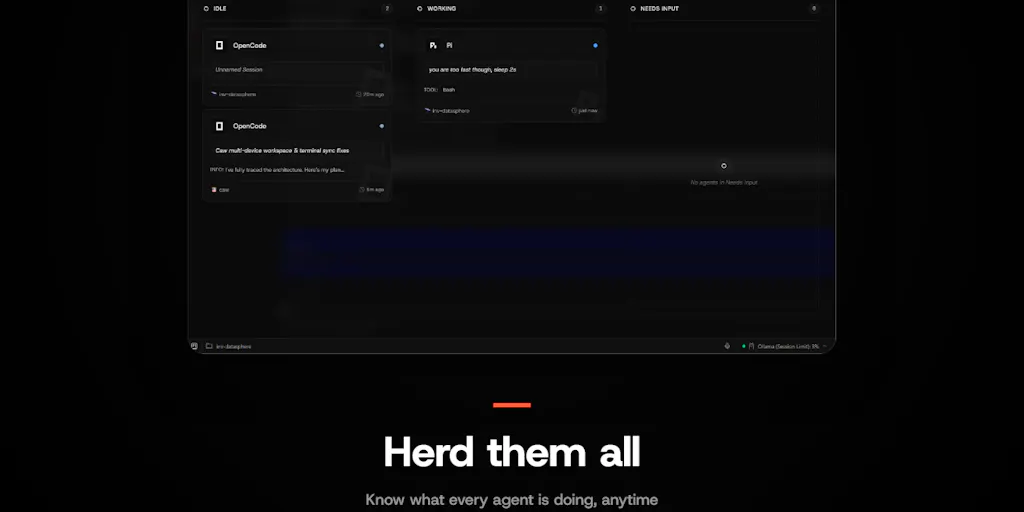
Compare that to the current alternatives. Most e-commerce teams either run agents in a terminal and manually check, or they use a chat UI like ChatGPT where you have to wait for the agent to finish its full chain of thought. Neither gives you a kanban view of all running agents with their status: blocked, waiting, running, done. Caw does. It also persists agent sessions so that if a process crashes, the agent can resume with a --continue command — crucial for long-running operations like scraping 50,000 competitor listings where a crash means losing all scrollback.
How Caw Is Different (And Why That Matters to E-Commerce Operators)
Self-Hosted, Local, Private
Caw is fully self-hosted — “no relay,” the maker states. That matters immensely when your agents are handling sensitive data: customer PII, supplier pricing, internal profit margins. Cloud-based agent orchestrators like Zapier or Tray.io are convenient, but they send logs and sometimes data through their own servers. For a cross-border seller with China-based factories and EU customers, that’s a privacy headache. Caw’s model — download the binary, run it locally — means you control every bit of traffic. The only outbound call is for push notifications, and “that doesn’t carry your data.”
Push Notifications That Don’t Lie
Caw’s notification system is configurable per state: you can opt to get pinged only when an agent “needs input,” not when it finishes. For an e-commerce operator running a batch of 50 listing-generation agents overnight, you don’t want a buzz every time one agent finishes writing copy. You want a single ping when one of them encounters a conflict — say, a SKU that already exists in the system — and needs you to decide. That’s a productivity multiplier that turns agent management from a reactive firehouse into a clean queue.
Git Worktrees on Demand (and the Conflict Problem)
Caw can spin up parallel git worktrees for the same repo, letting multiple agents work simultaneously on different branches. That’s analogous to running multiple agents that each modify different product data sets — one adjusting prices for US market, another updating descriptions for DE market. But Caw openly admits that if two agents touch the same file, the conflict surfaces only at merge time. No pre-merge flagging. The maker’s current workaround is “spinning up another agent and asking it to sort out the conflicts.” For e-commerce operators, this is a red flag. If your content agent and your SEO agent both edit the same product description, you’ll find out only when the merge fails. That’s a risk that needs a smarter solution — something like a write-lock per field or a diff-preview before merge.
What Cross-Border Sellers Can Borrow From Caw
Why Amazon Sellers Should Care More Than Shopify Ones
Amazon sellers operate in a high-stakes, high-velocity environment where a single agent misstep — dropping price too low, understocking a BSR top-100 — can cost thousands in a few hours. They already run multiple agents: repricing tools, inventory forecasting scripts, PPC bid optimizers, review analysis bots. But each tool has its own dashboard or no dashboard. Caw’s kanban view provides a unified status board that an account manager can check in 10 seconds. Shopify sellers, by contrast, tend to use fewer automated agents because their margins are often thinner and the marketplace dynamics are less volatile. That said, any DTC operator scaling to 100+ SKUs on Shopify and running Klaviyo flows, email personalization agents, and dynamic pricing scripts will eventually need the same supervision layer. So the difference is one of urgency, not relevance.
Where the Math Breaks
Running Caw for agent supervision adds value, but it also adds overhead. You need a machine to host the binary, and you or a developer must set it up. For a solo seller on a $10/month budget, that’s a hurdle. The value proposition only works if your agents are already saving you significant time or money. If your repricing agent handles 20,000 ASINs and captures 2% extra margin, then the cost of a self-hosted monitoring tool is trivial. But if you’re running a single chatbot for customer support and you check in once an hour anyway, Caw is overkill. The math breaks when the agent supervisor costs more in setup and monitoring than the agents themselves produce.
Where Caw Falls Short (And What’s Missing for E-Commerce)
Caw is not built for e-commerce. It’s a terminal multiplexer for coding agents — think Claude Code commands and shell scripts. That means:
- No platform integrations. You cannot plug Caw directly into Amazon Seller Central or Shopify Admin. You’d need to wrap your agents in a terminal script that Caw can manage. That requires technical skill beyond most operators.
- No agent templates. There’s no canned workflow for “monitor inventory” or “adjust ad spend.” You build your own agents and then tell Caw to watch them. Great for flexibility, terrible for onboarding.
- Conflict detection is immature. As discussed, parallel work on overlapping data sets leads to merge pain. In e-commerce, where multiple agents might touch the same product record (price, title, images), that’s a recipe for data corruption.
- No web GUI. Caw lives in the terminal. For a visual operator who prefers a browser dashboard with drag-and-drop, this is a non-starter.
That said, these are gaps that can be filled by a specialized e-commerce agent orchestrator. Caw proves the core patterns are viable. The next tool that wraps a kanban agent supervisor with integrations to Amazon Seller Central, Shopify, and Etsy — plus a GUI that shows agent health in a way a non-technical manager can grok — will clean up.
What I’d Watch / Test Next
Try Caw for a single technical agent. If you or a developer on your team run any terminal-based automation — a scraper that monitors competitor prices, a script that generates bulk listing files from a spreadsheet — install Caw. Test its push notifications with a workflow that requires human approval (e.g., “price change > 10%”). See if the
--continueresume mechanism actually saves you from losing state after a crash. That’s the fastest way to evaluate whether the supervision pattern works for your context.Map your current agents to Caw’s features. List all the AI-powered automations you run today. For each, ask: Do I get a notification when it’s stuck? Do I have a single view of all running agents? If the answer is no, that’s where Caw (or a future equivalent) addresses a real bottleneck. Even if you never deploy Caw, the exercise of defining agent states — running, blocked, waiting-for-input — will improve how you manage your tool stack.
Watch for e-commerce-specific agent orchestrators. Tools like Relevance AI, Tray.io, and Make are moving toward agent management, but none yet offer the precise “kanban-of-running-agents plus push-when-input-needed” combo that Caw nails. If a startup integrates that into a Shopify app or an Amazon SP-API extension, I’d bet on it. Until then, Caw is the sharpest prototype of a supervision layer that every multi-agent e-commerce operator is going to need within the next 18 months. Test it now, while the agent count is still single-digit and manageable. You’ll know exactly what you want when the real solution arrives.