Why AI-driven browser automation is the silent bottleneck that cross-border sellers need to fix — and why BrowserBash might be the tool that finally makes it painless
Every cross-border seller I know has a horror story about a broken checkout flow that went undetected for three days during a Prime Day or a Black Friday surge. You can throw the perfect ad budget, the best conversion rate optimization, and the fastest fulfillment network at your store — but if a JavaScript error on the “Place Order” button silently changes the button id from #checkout-submit to #checkout-submit-2, your conversion rate drops to zero. Traditional end-to-end testing has been the domain of dedicated QA engineers who maintain hundreds of brittle CSS selectors, and most small-to-mid-size cross-border teams simply don’t have that luxury. So they ship blind, relying on manual smoke tests that get skipped the moment a shipment delay or a listing suspension hits the inbox.
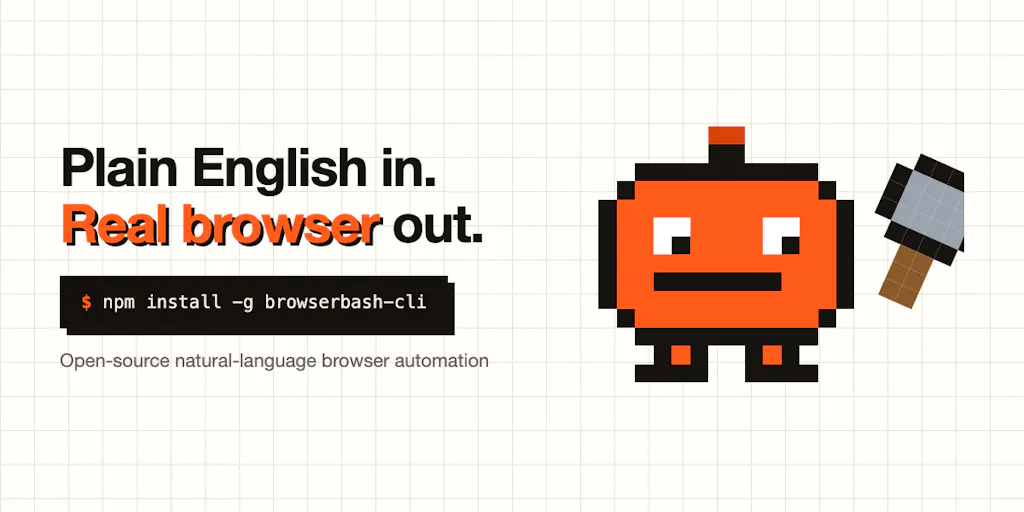
That’s why an open-source, AI-powered browser automation tool like BrowserBash caught my attention. Its premise is simple: instead of writing fragile code that targets DOM selectors, you describe a user journey in plain English, and an AI agent drives a real browser to execute it. For the cross-border operator who needs to validate checkout flows across Shopify stores, monitor competitor pricing on Amazon, or ensure that a TikTok Shop integration doesn’t break after a theme update, this approach shifts the bottleneck from “who can write Cypress tests” to “can I clearly describe what done looks like.” That’s a tradeoff I’m willing to make.
The selector problem is a cross-border problem
Every serious e-commerce operation runs some form of automated regression testing, even if it’s just a cron job that clicks through the store and screenshots the result. The hard reality is that the mainstream tools — Playwright, Cypress, Selenium — are built on a foundation of selectors: CSS classes, XPaths, data attributes. Those selectors are the single point of failure. A Shopify theme update, an Amazon listing page redesign, or a third-party app injection can change a class name from btn-primary to button--primary and break every test that touched it. The maintenance cost quickly outweighs the value of the test suite, which is exactly why most cross-border sellers I talk to either have no E2E tests at all or have a dead suite that nobody runs.
BrowserBash tackles this by eliminating selectors entirely. You feed it an objective like “log in with test credentials and verify that the order confirmation page shows ‘Thank you for your order!’” and the AI agent derives the click path on the fly. The creator, Prrammod Dutta, explicitly states that “a BrowserBash objective is the user-level invariant, not a click path … no selector is encoded anywhere, so a selector change can’t touch the intent.” This is the core insight that makes the tool relevant to any seller whose frontend changes frequently — which is virtually everyone selling on platforms that push updates without notice.
How it differs from the incumbent options — and why the open-source, local-model angle matters
The most popular alternative right now is probably Stagehand, a TypeScript library from Browserbase that also uses AI to drive a browser. BrowserBash is actually built on top of Stagehand, but Dutta added a CLI layer that turns it into a batteries-included test runner. You don’t write code; you write a plain-English goal in a test.md file and run browserbash run test.md. The CLI returns exit codes (0,1,2,3) suitable for CI/CD, and it can record video, screenshots, and traces of every run. That’s a massive leap for a team that just wants to plug a QA step into a GitHub Actions workflow without hiring a Playwright specialist.
What really sets BrowserBash apart for cost-conscious cross-border sellers is its support for local models via Ollama. You can run it entirely for free on your own machine with no API keys and no credit card. “It runs on free local models (Ollama) or free OpenRouter models — zero API keys,” Dutta says in the Product Hunt post. For sellers running multiple storefronts on a tight margin, the ability to spin up regression tests on a cheap VPS without incurring per-test API costs is a game changer. The math page on their site (https://browserbash.com/math.html) claims that using cheaper models like Deepseek V4 Flash or Qwen3.5 can keep costs near zero.
Compare that to a tool like Testim or Mabl — both of which charge per test run and require ongoing subscriptions. Or compare it to a manual approach using a no-code recorder like Katalon, which still generates selectors that break. BrowserBash is genuinely free and open-source under Apache 2.0. The cloud dashboard for run history and video recordings is free for 15 days; beyond that you pay for retention. That’s a fair, transparent model that doesn’t feel like a bait-and-switch.
What cross-border sellers should borrow from this tool immediately
1. Continuous checkout-flow regression on your primary store
Every seller should have a critical flow that must never break: add item to cart → proceed to checkout → enter valid shipping → enter payment → see confirmation. With BrowserBash, you can write that as a plain-English objective and run it every hour via a cron job. If the cart icon moves from the header to a sidebar, the AI will re-derive the path. If a new promotional banner covers the checkout button, the AI will still find it. The test doesn’t fail because of a selector change — it fails only if the outcome (the confirmation text) is absent. That’s exactly the invariant you care about.
2. Competitor price and inventory monitoring without a headless browser library
Many sellers run scripts to scrape competitor prices on Amazon, eBay, or Etsy. Those scripts often break when the page layout changes. Instead of maintaining a BeautifulSoup parser or a Playwright script with hardcoded selectors, you can have BrowserBash go to a product page and extract the price into a file. “Extract the current price of the item on screen and write it to price.txt” is a valid objective. The AI agent will find the price element regardless of CSS classes. This is especially useful for sellers using dynamic pricing strategies where you need to react to competitor moves within hours.
3. Pre-deployment smoke tests after theme updates or app installations
If you run a Shopify store, you know that installing a new app or updating your theme can break random elements. I’ve seen an upsell app conflict with a currency converter and cause the checkout page to load infinitely. Running a BrowserBash test on a staging copy of the store before pushing the update to production can catch these regressions without requiring a QA engineer to manually click through every page. The committable test.md files also make the intent reviewable in a PR, so the whole team can see what the test protects.
Where my judgment says it falls short — and the caveats you can’t ignore
3. The invariant problem is real, and you can’t outsource it
Dutta is refreshingly honest about this: “The honest caveat is that it’s only as good as the invariant you write. ‘Click checkout’ will drift; ‘verify the order is confirmed’ protects intent. … writing the right invariant is still on the author.” I’ve seen this firsthand with AI-driven testing tools like Testim and Functionize. The model can find the button, but if you write a vague objective like “buy a product,” the agent might interpret “buy” as “click the first ‘Buy Now’ button” when you actually meant “go through the complete checkout flow.” You still need to articulate the exact outcome. That’s a skill, and it takes practice.
3. No visual diff or semantic comparison — yet
One of the commenters asked how BrowserBash decides between a legitimate layout change and a real regression. Dutta responded that there is a plan for a diff mechanism and visual checks. Right now, the tool only returns a pass/fail verdict based on whether the objective text appears on the screen. If the confirmation page loads but the text is slightly different (“Thank you – your order is confirmed” vs. “Thank you for your order!”), the test would fail even though the business logic is fine. Until visual regression detection ships, you’ll get false positives that waste time. For sellers with high volume, false positives lead to alert fatigue, which is exactly why many abandon traditional testing.
3. Performance and reliability with local models
Running on a local Ollama installation is great for cost, but small models like Qwen 3.5 are not as reliable at understanding complex multi-step objectives. The agent might misinterpret “add a variant with size XL and color black” if the page has dropdowns that trigger AJAX calls. Dutta suggests using cheaper models for basic flows, but if your store uses JavaScript-heavy single-page application patterns (like many modern Shopify themes with dynamic checkout buttons), the free models could get confused. You’ll need to test with a paid Anthropic or OpenAI key to get the best reliability — and that reintroduces cost.
Why Amazon sellers should care more than Shopify ones
Shopify store owners have full control over their frontend code. They can add data attributes, version control their theme, and even run BrowserBash in a staging environment with the exact same code as production. Amazon sellers, by contrast, cannot control the listing page layout. Amazon’s frontend changes constantly — especially the Buy Box, the product detail page, and the checkout flow. For FBA sellers who rely on external tools like Helium 10 or Jungle Scout for keyword tracking, missing a price change event on a competitor’s listing can cost sales. BrowserBash can be pointed at any URL, including Amazon product pages, to check for price drops, stock availability, or promotional badges. However, Amazon aggressively blocks automated access, so you’ll need to use a proxy or a cloud browser service like BrowserStack or LambdaTest — both of which BrowserBash supports via a --provider flag. The ethical and legal line gets blurry there, so I’d test only on your own seller account pages or public product pages you’re legally allowed to scrape.
Where the math breaks: cost of cloud runs and retention
The free tier gives you local runs forever. But if you want to run CI tests on every pull request without setting up a local agent on your CI server (which is possible but adds complexity), you’ll likely use the cloud feature. The cloud dashboard retains run history for 15 days for free; after that, you pay. Dutta didn’t disclose pricing for the paid retention tier, so it’s impossible to say whether it scales affordably for a team running 50 test runs per day. For sellers who need a long audit trail for compliance or troubleshooting, the 15-day limit could be a dealbreaker. You’d have to build your own local storage of test artifacts, which negates the convenience of the cloud dashboard.
What I’d watch / test next: four actionable steps for any cross-border operator this week
Install BrowserBash locally and point it at your store’s checkout flow.
Runnpm install -g browserbash-cliand write atest.mdfile with a single objective: “Go to [your store URL], add the first product to cart, proceed to checkout, fill in a test address, and verify the page shows ‘Place order’.” See if the agent succeeds with the free local model. If it fails, try with a free OpenRouter key — the cost is negligible. This single test can already catch the most expensive regressions.Set up a CI pipeline that runs BrowserBash on every pull request.
If you use GitHub Actions, add a step that runsbrowserbash run test.md --provider local(or use a CDP endpoint). Make it a required check for merging. This forces your team to think about invariants every time they touch the frontend. If the test breaks, you’ll know immediately whether it’s a legitimate regression or a flaky agent — and you can adjust the objective.Use BrowserBash to monitor a competitor’s pricing for 48 hours.
Write an objective like “Go to [competitor ASIN], read the price shown on the buy box, and print it to stdout.” Run it every hour. See how often the free model correctly extracts the number. If reliability is good, you’ve just built a free competitor price tracker that doesn’t break on layout changes.Join the open-source conversation and contribute a real-world test.md file.
Dutta is asking for honest feedback on what first flow you’d point it at. Share yourtest.mdfor a Shopify checkout or an Amazon price check on the GitHub repo. The community needs real e-commerce examples to improve the AI’s ability to understand store-specific patterns like “add to cart” buttons that don’t use standard text.
BrowserBash is early, and it won’t replace a professional QA team tomorrow. But for the cross-border seller who has been burned by a broken checkout during a flash sale, the idea of describing intent instead of writing selectors is the right direction. I’m going to try it on my own store this week — and I encourage you to do the same. The cost is zero, the risk is low, and the potential time saved on the next theme update is the kind of win that keeps a small team sane.